EasyManua.ls Logo

Nikon COOLPIX B700 - User Manual

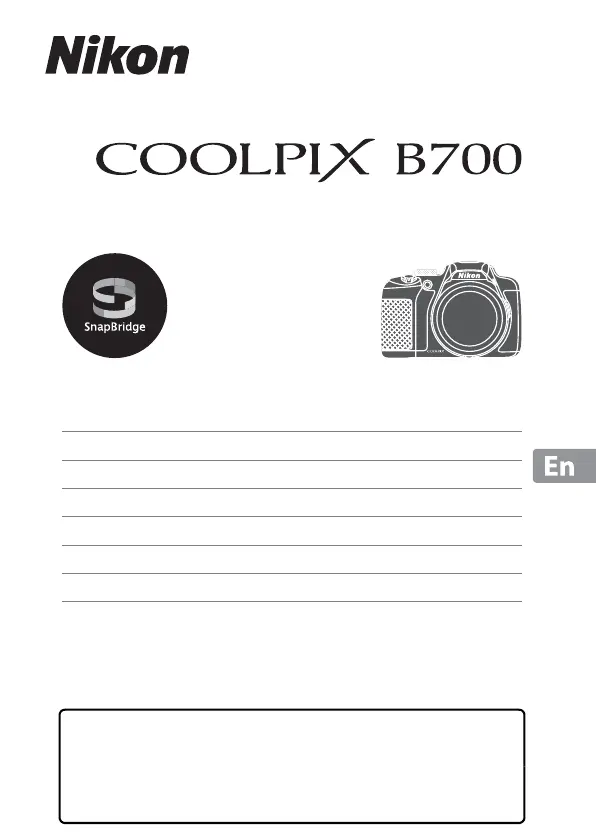
Nikon COOLPIX B700
44 pages
Print Icon
To Next Page IconTo Next Page
Loading...
DIGITAL CAMERA
Quick Start Guide
Introduction ii
Parts of the Camera 1
Getting Started
2
Basic Shooting and Playback Operations 8
Connecting to a Smart Device (SnapBridge) 14
Other Functions 20
Technical Notes 24
Read this manual thoroughly before using the camera.
To ensure proper use of the camera, be sure to read “For
Your Safety” (page vi).
After reading this manual, keep it in a readily accessible
place for future reference.

Other manuals for Nikon COOLPIX B700

Questions and Answers

  • W
    Walter RothSep 23, 2025
    Why does my Nikon COOLPIX B700 Digital Camera become hot?
    • M
      Matthew KingSep 23, 2025
      If your Nikon Digital Camera becomes hot during extended use, such as shooting movies, or in a hot environment, this is normal and not a malfunction.
  • P
    pjonesAug 25, 2025
    Why is my Nikon Digital Camera not focusing properly?
    • E
      Eddie KochAug 25, 2025
      If your Nikon Digital Camera cannot focus, make sure the subject isn't too close; try using the Scene auto selector, Close-up scene mode, or macro close-up focus mode. Check the focus mode setting, and if the subject is hard to focus on, set AF assist to Auto in the setup menu. Ensure the subject is in the focus area when pressing the shutter-release button halfway, and that the focus mode isn't set to manual focus. You can also try turning the camera off and then on again.
  • J
    James StoneAug 25, 2025
    What to do if my Nikon COOLPIX B700 is on but not responding?
    • J
      jonathan60Aug 26, 2025
      If your Nikon Digital Camera is on but not responding, first wait for any recording to finish. If the issue continues, turn the camera off. If it still doesn't turn off, remove and reinsert the battery (or batteries). If you're using an AC adapter, disconnect and reconnect it. Note that while any data being recorded will be lost, previously recorded data will remain unaffected.
  • D
    dknoxAug 26, 2025
    Why are my Nikon COOLPIX B700 Digital Camera images too dark?
    • M
      Mary RogersAug 27, 2025
      If your Nikon Digital Camera images are too dark, ensure that the flash window isn't blocked and that the subject is within the flash range. You can also adjust exposure compensation, increase ISO sensitivity, or use the flash or Backlighting scene mode if the subject is backlit.
  • M
    Meghan CampbellAug 27, 2025
    How to correct overexposed images on Nikon COOLPIX B700 Digital Camera?
    • M
      Michael MillerAug 27, 2025
      If your Nikon Digital Camera displays images that are too bright, adjust the exposure compensation.
  • B
    Benjamin GarnerSep 13, 2025
    Why does the flash not fire on my Nikon Digital Camera?
    • D
      Dennis FranklinSep 14, 2025
      If the flash on your Nikon Digital Camera does not fire, it may be because a shooting mode where the flash cannot fire is selected, or a function that restricts the flash is enabled.
  • D
    Diana McphersonSep 12, 2025
    Why can't I use digital zoom on my Nikon COOLPIX B700 Digital Camera?
    • S
      Stephen LopezSep 12, 2025
      If digital zoom cannot be used on your Nikon Digital Camera, it may be because Digital zoom is set to Off in the setup menu or because digital zoom cannot be used with certain shooting modes or when using certain settings in other functions.
  • A
    April GreenSep 12, 2025
    Why is date stamp not available on my Nikon COOLPIX B700?
    • C
      Crystal GarciaSep 12, 2025
      If the date stamp is not available on your Nikon Digital Camera, it is because Time zone and date has not been set in the setup menu.
  • N
    nramosSep 4, 2025
    Why is there no information displayed on my Nikon Digital Camera screen?
    • M
      Michelle ColemanSep 4, 2025
      If your Nikon Digital Camera is not displaying information on the screen, the shooting and photo information may be hidden. Press the s button until information is displayed.
  • S
    Seth BakerSep 2, 2025
    Why does my Nikon COOLPIX B700 turn off unexpectedly?
    • J
      Justin AndersonSep 2, 2025
      If your Nikon Digital Camera turns off without warning, it might be due to the auto-off function, low temperatures affecting the camera and battery, or the camera overheating. Let the camera cool down before trying to turn it on again.

Summary

Introduction to the Nikon COOLPIX B700

Read This First

Important initial instructions before using the camera.

Reference Manual Download

Instructions for downloading the detailed PDF reference manual for the camera.

Nikon Software Downloads

Information on downloading Nikon software for computer and smart device use.

Download Center Access

Provides the URL to access Nikon's Download Center for manuals and software.

Nikon User Support and Package Contents

Online Support Options

Contacting Nikon support via websites for different regions.

Telephone Support Numbers

Phone numbers for Nikon customer support in various countries.

Confirming Package Contents

Details the items included in the camera package and what to do if any are missing.

Information and Precautions for Use

Nikon Life-Long Learning Resources

Links to Nikon websites for product support, education, and updated information.

Using Genuine Nikon Accessories

Emphasizes using only Nikon-certified accessories to avoid camera damage or warranty voiding.

Pre-Shot Checks

Recommendation to take a test shot before important occasions to ensure normal camera function.

Manual Information and Disclaimers

Manual Usage Restrictions

Details copyright and reproduction limitations for the manual's content.

Data Storage Device Disposal

Guidance on securely erasing data from memory cards before disposal.

For Your Safety: General Warnings

Hazard Level Indicators

Explanation of DANGER, WARNING, and CAUTION symbols used for safety instructions.

General Safety Precautions

Important safety instructions regarding handling, environment, and usage to prevent injury or damage.

Battery Safety Warnings

DANGER: Battery Mishandling

Critical warnings about battery misuse leading to leaks, overheating, or fire.

WARNING: Battery Handling

Safety instructions for battery use, including keeping out of reach of children and avoiding water.

Camera Body Overview

Labeled Camera Controls

Identification of buttons, dials, and ports on the camera body with their functions.

Getting Started: Initial Setup

Attaching Camera Strap and Lens Cap

Step-by-step guide on how to attach the camera strap and lens cap.

Lens Cap Usage

Guidance on using the lens cap to protect the lens when not shooting.

Getting Started: Initial Operations

Inserting Battery and Memory Card

Instructions for correctly inserting the battery and memory card into the camera.

Formatting Memory Card

Procedure for formatting a memory card before its first use in the camera.

Removing Battery and Memory Card

Steps for safely removing the battery and memory card from the camera.

Getting Started: Power Management

Charging the Camera Battery

Detailed instructions on connecting the AC adapter and USB cable to charge the camera battery.

Getting Started: Connectivity and Display

USB Cable Usage Notes

Important precautions regarding the use of the specified USB cable (UC-E21).

Battery Charging Notes

Information on operating the camera while charging and using compatible chargers.

Monitor Operation and Adjustment

Camera Setup Procedure

Initial Power On and Language Selection

Steps for turning on the camera, selecting a language, and configuring initial settings.

SnapBridge Connection Prompt

Guidance on whether to set up SnapBridge connection during initial setup or skip it.

Camera Setup Procedure: Date and Time

Time Zone and Date Settings

Instructions for setting the camera's home time zone and date/time.

Basic Shooting Operations

Preparing to Shoot

Steps for rotating the mode dial, checking battery, and holding the camera steady.

Framing and Focusing

Guide to using zoom controls and half-pressing the shutter for framing and focus.

Basic Shooting Operations: Capturing Images

Taking the Shot

Instructions on fully pressing the shutter button to capture the image.

Basic Shooting and Playback Operations

Saving Images and Auto Off Function

Notes on image saving indicators and the camera's automatic power-off feature.

Tripod Use and Flash Operation

Recommendations for using a tripod and instructions for using the pop-up flash.

Recording Movies

Steps for starting and ending movie recording using the dedicated button.

Monitor and Viewfinder Usage

Switching Display Modes

How to switch between the camera's monitor and electronic viewfinder.

Viewfinder Diopter Adjustment

Instructions for adjusting the viewfinder's focus for clear viewing.

Image Color Adjustment Notes

Advice on using the monitor for accurate color checking due to its higher reproducibility.

Playing Back Images

Navigating Playback Mode

How to enter playback mode and use the multi selector to scroll through images.

Image Navigation and Zoom

Using controls to switch between images, display information, and zoom in on photos.

Deleting Images

Deletion Methods

Steps for deleting the current image, selected images, or all images.

Image Deletion Notes

Information on deleting RAW+JPEG simultaneously and sequence images.

Connecting to Smart Device (SnapBridge)

Installing the SnapBridge App

Guide to downloading and installing the SnapBridge application on a smart device.

SnapBridge App Interface Overview

Description of the main screens and functionalities within the SnapBridge app.

Connecting Camera to Smart Device

Initiating Smart Device Connection

Steps for selecting the connection option in the camera's network menu.

NFC Pairing Option

Guidance on using NFC for pairing or proceeding with standard pairing.

Connecting Camera to Smart Device: Pairing

Pairing Camera and Smart Device

Instructions for launching the SnapBridge app and confirming pairing codes.

Connecting Camera to Smart Device: Finalizing

Finalizing Connection Settings

Steps to finish the connection process and synchronize settings.

Further Information and Troubleshooting

SnapBridge App and Camera Resources

Links to online help and the reference manual for more detailed information.

Connection Troubleshooting

Guidance on resolving issues if the camera connection to the smart device is unsuccessful.

Wireless Connection Management

Enabling;Disabling Wireless Functions

Methods to disable or enable wireless connection via Airplane mode or Bluetooth settings.

Image Upload Options

Details three ways to upload images: automatically, selecting, or downloading via smart device.

Remote Photography Setup

Information on using the app for remote photography and Wi-Fi connection notes.

Remote Photography Setup

Wi-Fi Connection for Remote Shooting

Steps to establish a Wi-Fi connection for remote photography, especially for iOS devices.

Other Functions: Shooting Modes

Selecting a Shooting Mode

Guide to using the mode dial for Auto, Scene, Creative, P/S/A/M, and U modes.

Setting Shooting Functions

Multi Selector Function Settings

How to use the multi selector to adjust Flash mode, Self-timer, Focus mode, and Exposure compensation.

Menu Operations

Navigating Camera Menus

Instructions for accessing and navigating Shooting, Movie, Playback, Network, and Setup menus.

Menu Operations: Function Buttons

Using Fn1 and Fn2 Buttons

How to configure and use the Fn1 and Fn2 buttons for quick access to preset menu options.

Technical Notes: Notices

U.S. Customer Safety Instructions

Important safety warnings for users in the USA regarding fire and electric shock risks.

FCC Radio Frequency Interference

Statement regarding FCC compliance and potential radio frequency interference.

FCC Modifications Caution

Warning about unauthorized modifications voiding user's authority to operate the equipment.

Technical Notes: Compliance and Warnings

Interface Cable Recommendations

Advice on using only Nikon-approved interface cables to avoid exceeding FCC limits.

California Proposition 65 Warning

Warning regarding exposure to lead from product cords, as per California law.

Canadian Compliance Notice

Information regarding compliance with Canadian ICES-3 B / NMB-3 B standards.

Wireless Communication Notes

Wireless Device Restrictions

Information on product conformity to wireless regulations and usage limitations in different countries.

Wireless Security Risks

Discussion of potential security risks like data theft and unauthorized access with wireless functions.

Personal Information Management

Guidance on managing and resetting personal information stored on the device.

Export and Regulatory Compliance

Export Controls and Embargoed Countries

Information on U.S. export regulations and countries subject to special controls.

FCC;IC Declaration and RF Exposure

FCC/IC compliance statement and RF exposure guidelines for the device.

Jamaican Type Approval

Note on the Type Approved Module for Jamaica.

Caring for the Product: Camera Handling

Camera Handling Precautions

Instructions on avoiding impact, keeping the camera dry, and protecting it from temperature changes and magnetic fields.

Lens Protection from Light

Advice on not pointing the lens at strong light sources to prevent image sensor damage.

Power Off Before Component Removal

Guidance to turn off the camera before removing the power source or memory card.

Product Care: Monitor and Battery

Monitor Handling and Care

Notes on monitor precision, visibility, and safe handling to prevent damage or injury.

Battery Precautions and Charging

Safety advice for battery use, temperature limits, charging procedures, and carrying spares.

Product Care: Battery Management

Battery Terminals and Storage

Tips for cleaning battery terminals, proper storage, and battery life indicators.

Used Battery Recycling

Information on recycling used batteries according to local regulations.

Charging AC Adapter Usage

Guidelines for using the EH-73P Charging AC Adapter and associated USB cable.

Cleaning and Storage Procedures

Camera Cleaning Instructions

Methods for cleaning the lens, viewfinder, monitor, and camera body using a blower and soft cloth.

Camera Storage Guidelines

Recommendations for storing the camera when not in use, including environmental conditions.

Troubleshooting Common Issues

Camera Response and Power Issues

Solutions for problems like the camera not responding, not turning on, or turning off unexpectedly.

Display and Overheating Problems

Troubleshooting steps for blank monitors/viewfinders and when the camera becomes hot.

Memory Card Compatibility

Trademark Information

Licensing and Legal Notices

AVC Patent License

Information regarding the AVC Patent Portfolio License for video encoding/decoding.

Software Licenses

Details on FreeType and MIT licenses applicable to the product's software.

Nikon COOLPIX B700 Specifications

General IconGeneral
Sensor Resolution20.3 MP
Optical Zoom60x
Digital Zoom4x
Video Resolution4K UHD (3840 x 2160)
ConnectivityWi-Fi, NFC, Bluetooth
Battery LifeApprox. 350 shots
TypeCompact Digital Camera
Image Sensor1/2.3-inch CMOS
LensNIKKOR Lens
Aperturef/3.3-6.5
Dimensions (W x H x D)125.0 x 85.0 x 106.5 mm
Shutter Speed1/4000-1 s
Display Size3.0 inches
ISO SensitivityISO 100-3200
Storage MediaSD/SDHC/SDXC
Continuous Shooting5 fps
Battery TypeEN-EL23 Rechargeable Li-ion Battery
Monitor3.0-in. 921k-dot, vari-angle TFT LCD with anti-reflection coating
Weight565 g (including battery and memory card)

Related product manuals