11
Basic Shooting and Playback Operations
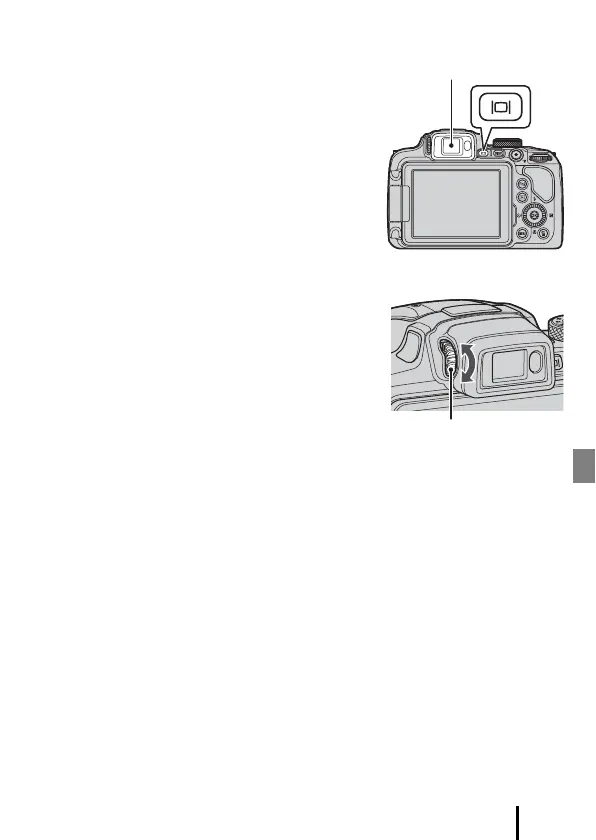
Switching Between the Monitor and Viewfinder
It is recommended that you use the viewfinder
when bright conditions make it difficult to see the
monitor, such as when outdoors in sunlight.
• When you bring your face close to the viewfinder,
the eye sensor responds to it and the viewfinder
turns on, and the monitor turns off (default
setting).
• You can also press the x (monitor) button to
switch the display between the monitor and
viewfinder.
Diopter Adjustment of the Viewfinder
When the image in the viewfinder is difficult to see,
adjust by rotating the diopter adjustment control
while looking through the viewfinder.
• Take care not to scratch your eye with your
fingertips or nails.
B Notes About Checking and Adjusting Image Colors
Use the monitor on the back of the camera because the monitor has higher color
reproducibility than the viewfinder.
Diopter adjustment control


 To Next Page