8
Basic Shooting and Playback Operations
Basic Shooting and Playback
Operations
A (auto) mode is used here as an example. A (auto) mode enables you to perform
general shooting in a variety of shooting conditions.
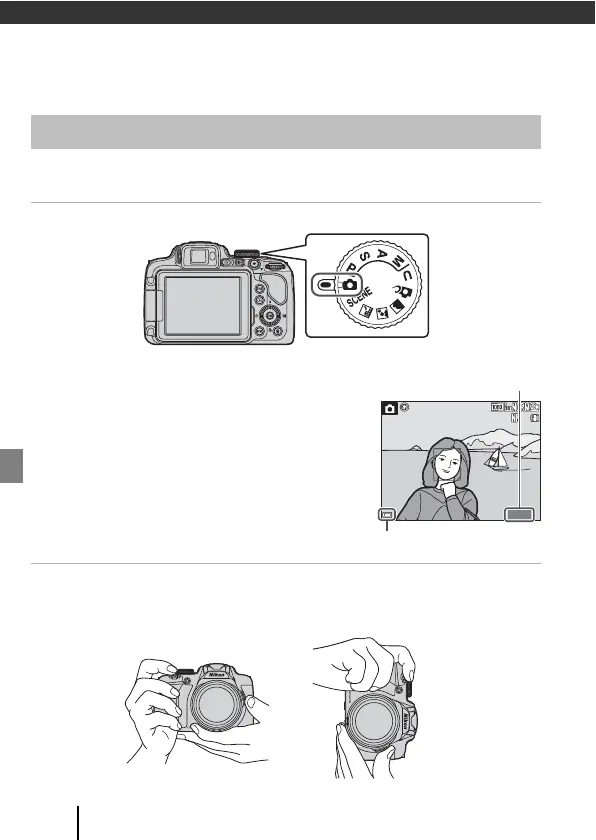
1 Rotate the mode dial to A.
• Battery level indicator
b: The battery level is high.
B: The battery level is low.
• Press the s (display) button to switch the
information displayed on the screen each time.
2 Hold the camera steady.
• Keep fingers and other objects away from the lens, flash, AF-assist illuminator,
microphone, and speaker.
Shooting Images
Number of exposures
remaining
1400
25m 0s
1/250
F5.6


 To Next Page