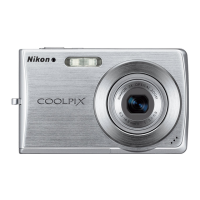
Use
the
supplied
USB
cable
to
connect
the
camera
to
a computer, and
copy
(transfer) pictures
to
a
computer
with
the
supplied Nikon Transfer software.
Before Connecting
the
Camera
Install
the
Software
Before
connecting
the
camera
to
a
computer,
software, including Nikon Transfer
and Panorama Maker for creating panorama images, must be installed from
the
supplied Software Suite
CD.
For more
information
on installing
the
software, refer
to
the
Quick
Start
Guide.
Compatible Operating Systems
Windows
Preinstalled versions
of
Windows
Vista Service
Pack
1 (32-bit
Home
Basic/Home
Premium/Business/Enterprise/Ultimate editions),
Windows
XP
Service
Pack
3 (Home Edition/Professional)
Macintosh
Mac
OS
X (version
10.3.9,
10.4.11,
10.5.5)
Refer
to
the
Nikon website for
the
latest
information
on operating system
compatibility.
~
Notes on Power Source
• When connecting
the
camera
to
a
computer
or printer,
use
a fully charged battery
to
prevent the
camera from
turning
off
unexpectedly.
• If
the
AC
Adapter EH-62D (available separately)
is
used,
COOLPIX
5230
can
be powered from a
home
electrical outlet. Do
not
use
any other
AC
adapters
as
it will cause the camera
to
heat
up
or
malfunction.
~
lQ
....
o
~
III
:::.
VI
o'
~
Y'
n
o
3
\J
C
....
III
....
VI
OJ
~
Q.
iJ
....
~
....
It>
....
VI
93



 To Next Page
 Loading...