5
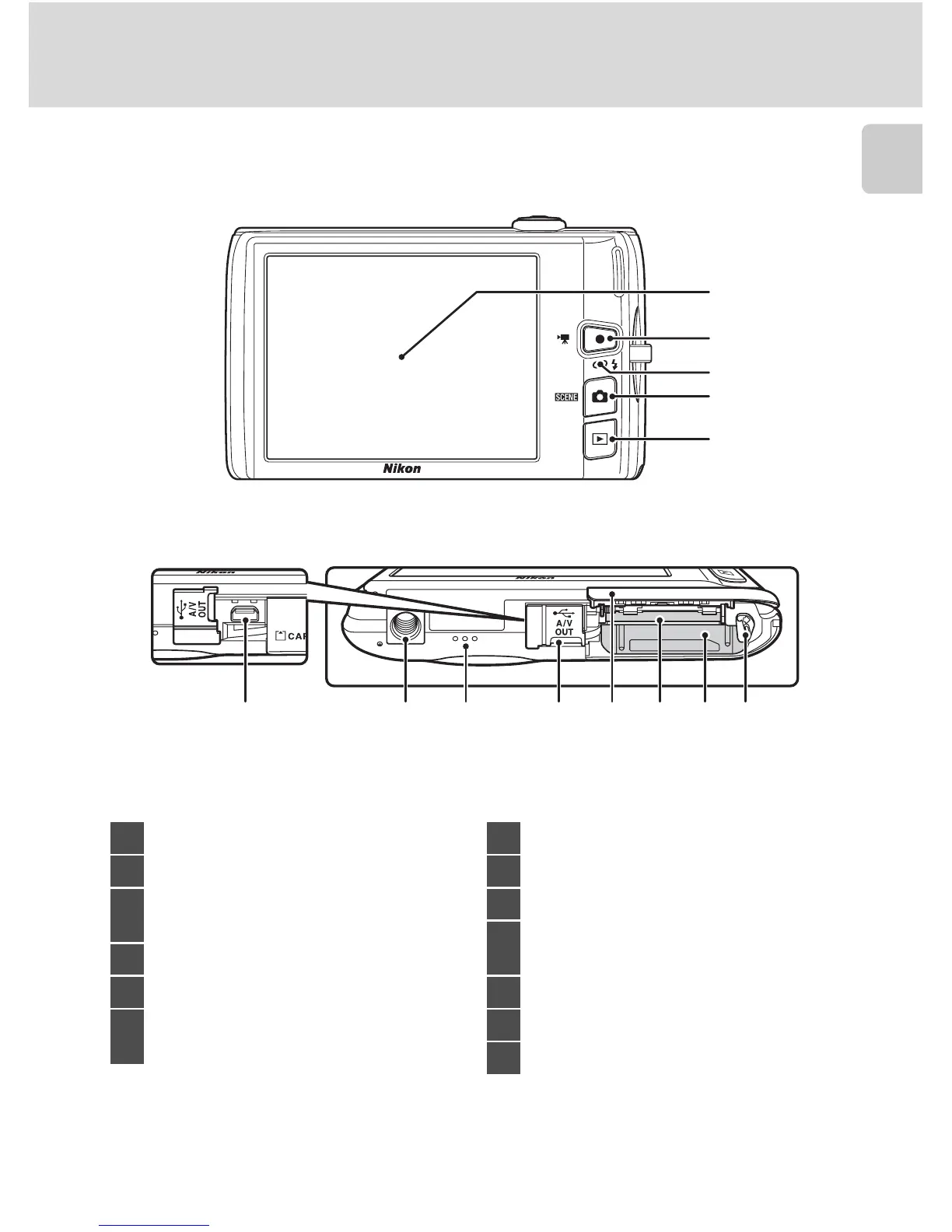
Parts of the Camera
Introduction
4
2
1
3
5
6 7 8 9 10 11 12 13
Under the connector
cover
1 Monitor/touch panel ......................... 10, 27
2 b (e movie-record) button....... 6, 126
3
Charge lamp......................................... 19, 139
Flash lamp.........................................................35
4 A (shooting mode) button.............6, 40
5 c (playback) button ...................6, 32, 85
6
USB/audio/video output connector
.........................................................132, 135, 141
7 Tripod socket
8 Speaker ................................................. 109, 131
9 Connector cover...................132, 135, 141
10
Battery-chamber/
memory card slot cover ...................16, 24
11 Memory card slot..........................................24
12 Battery chamber............................................16
13 Battery latch.............................................16, 17



 To Next Page
 Loading...












