12
Get Ready
Pair (i.e., establish a Bluetooth link between) the camera
and the smart device.
• Here, connecting the camera and a smart device wirelessly
through Bluetooth is called “pairing.”
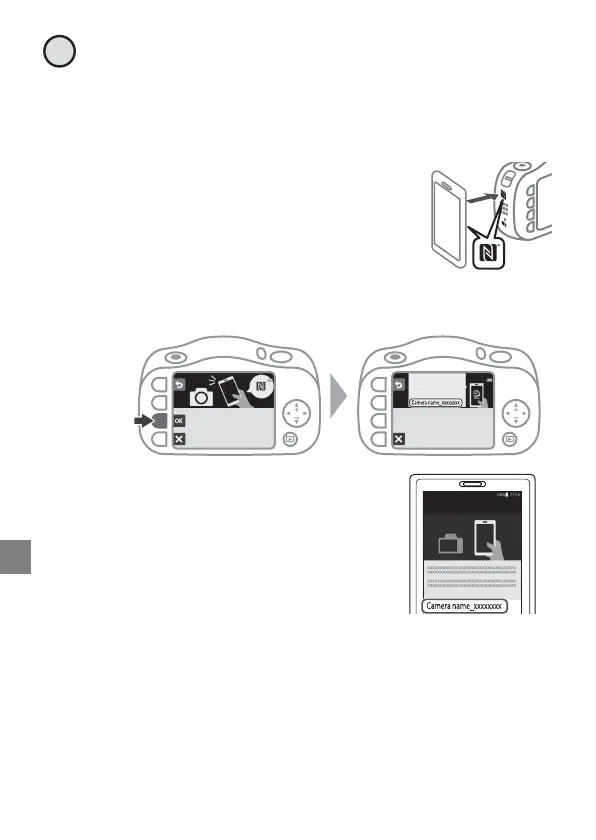
• Android Devices with NFC Support
After checking that NFC is enabled on the
smart device, touch the camera
Y (N-Mark) to the NFC antenna on the
smart device to start the SnapBridge app.
• iOS Devices and Android Devices Without NFC Support
-Press O. The camera will wait for a connection.
- Start the SnapBridge app on the
smart device, and follow the on-
screen instructions to tap the name
of the camera.
4
NFC enabled devices: touch
the camera to the smart device.
Non-NFC enabled devices: press OK.
SnapBridge
App
Camera
On your smart device, go to the app
store and search for
SnapBridge. After installing,
open the SnapBridge app.
Connect to Camera
Camera name



 To Next Page