20
B View
Deleting Images
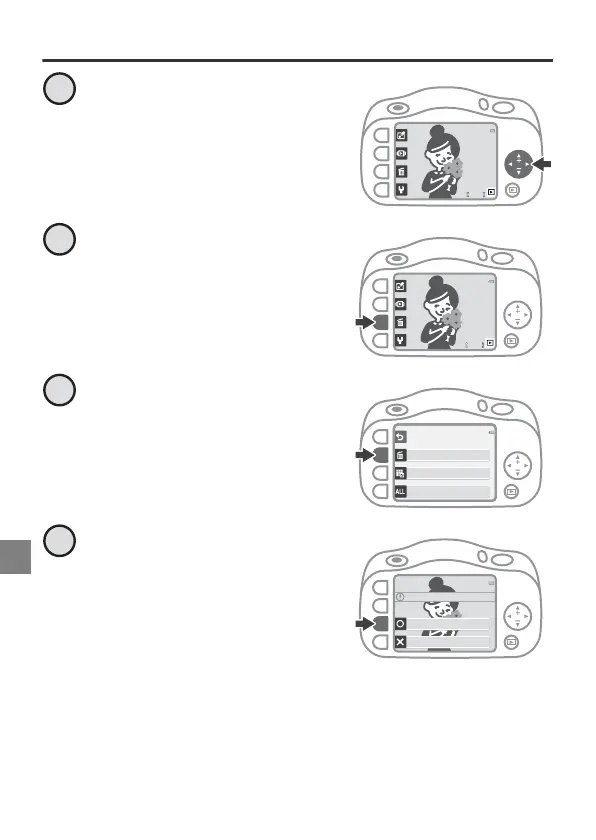
When B is displayed on the
lower-right of the screen,
look through your images
and find an image you want
to delete.
Press n.
Press n Erase this picture
only.
• Press Q if you want to exit
without deleting the image.
Press R Yes.
• If you delete an image, you
cannot recover it.
4
11/15/2016
15:30
1
4
11/15/2016
15:30
2
Erase
Erase this picture only
Erase selected pictures
Erase all pictures
3
Erase 1 picture ?
Yes
No
4



 To Next Page