23
Have More Fun
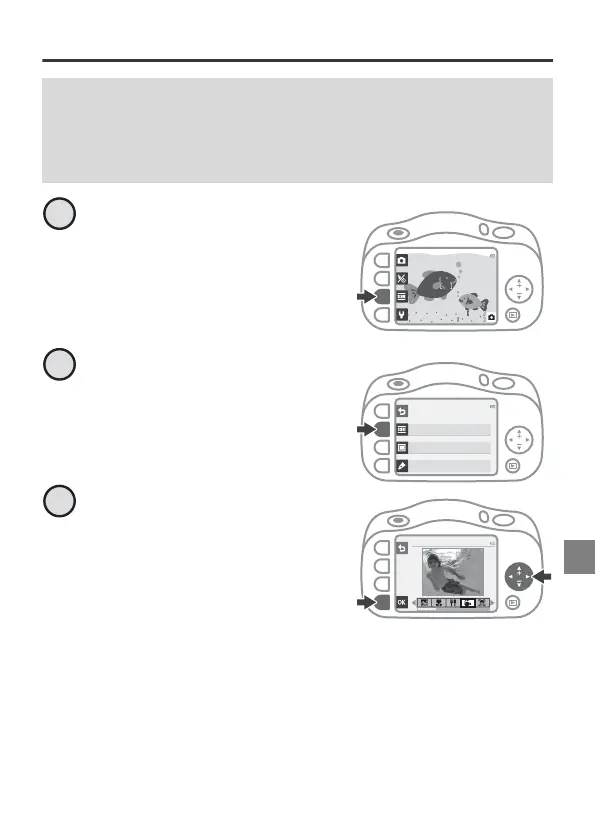
Taking Pictures Underwater
While A is displayed on the
lower-right of the screen,
press g.
Press g Choose a style.
Press
J
or
K
, select
J
Shoot
under water
and press
O
.
• The waterproofing-related
message is displayed. Confirm
the message and press K to
display the next message. Press
O to start shooting.
Before Using the Camera Underwater
Read “Notes About Shockproof, Waterproof, and Dustproof
Performance” (page 33) and “Before Using the Camera Underwater”
(page 34) thoroughly.
2100
25m 0s
More picture options
Choose a style
Decorate
Change colors
2
Shoot under water
3



 To Next Page