9
Get Ready
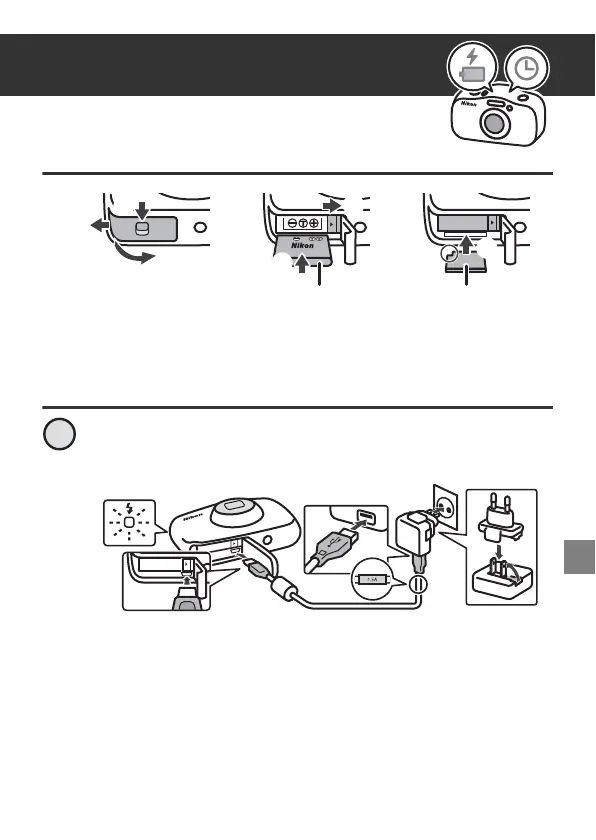
Inserting the Battery and Memory Card
•
Look at the stickers and insert the battery and memory card the right way.
• The first time you insert a memory card that has been used in another
device into this camera, make sure to format it with this camera.
Charging the Battery
Connect the camera to the Charging AC Adapter and to
the electrical outlet.
If a plug adapter* is included with your camera, securely connect
it to the Charging AC Adapter. Once the two are connected,
attempting to forcibly remove the plug adapter could damage
the product.
* The shape of the plug adapter varies according to the country
or region in which the camera was purchased.
This step can be omitted if the plug adapter comes
permanently bonded to the Charging AC Adapter.
1
7



 To Next Page