VAA46003-R.3659.A
- D5・ E7900 -
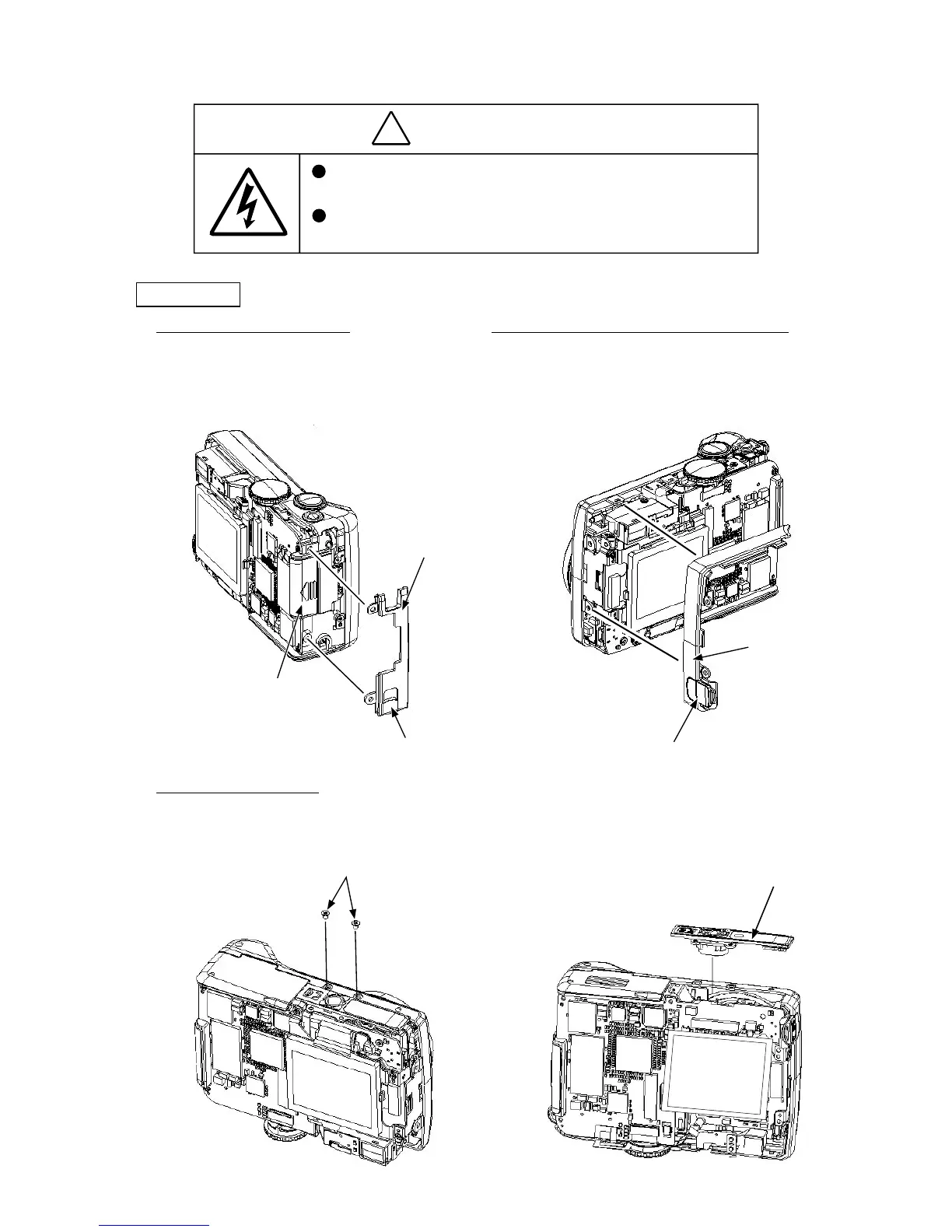
Front cover
・ Close the SD case (B351).
・ Remove the strap (126).
・ The battery cord cover (362) can be removed.
1. Removal of strap (at grip side)
・ As pulling the strap (125) toward your side, lift its top and
remove it.
・ The USB cover (361) can be removed.
2. Removal of strap (at the battery cord cover side)
・ Remove the two screws (810).
・ Remove the tripod socket (B371).
3. Removal of tripod socket
Strap (126)
SD case (B351)
Battery cord cover (362)
USB cover (361)
Strap (125)
Screws (810)
Tripod socket (B371)



 To Next Page