VAA46003-R.3659.A
- A18 ・ E7900 -
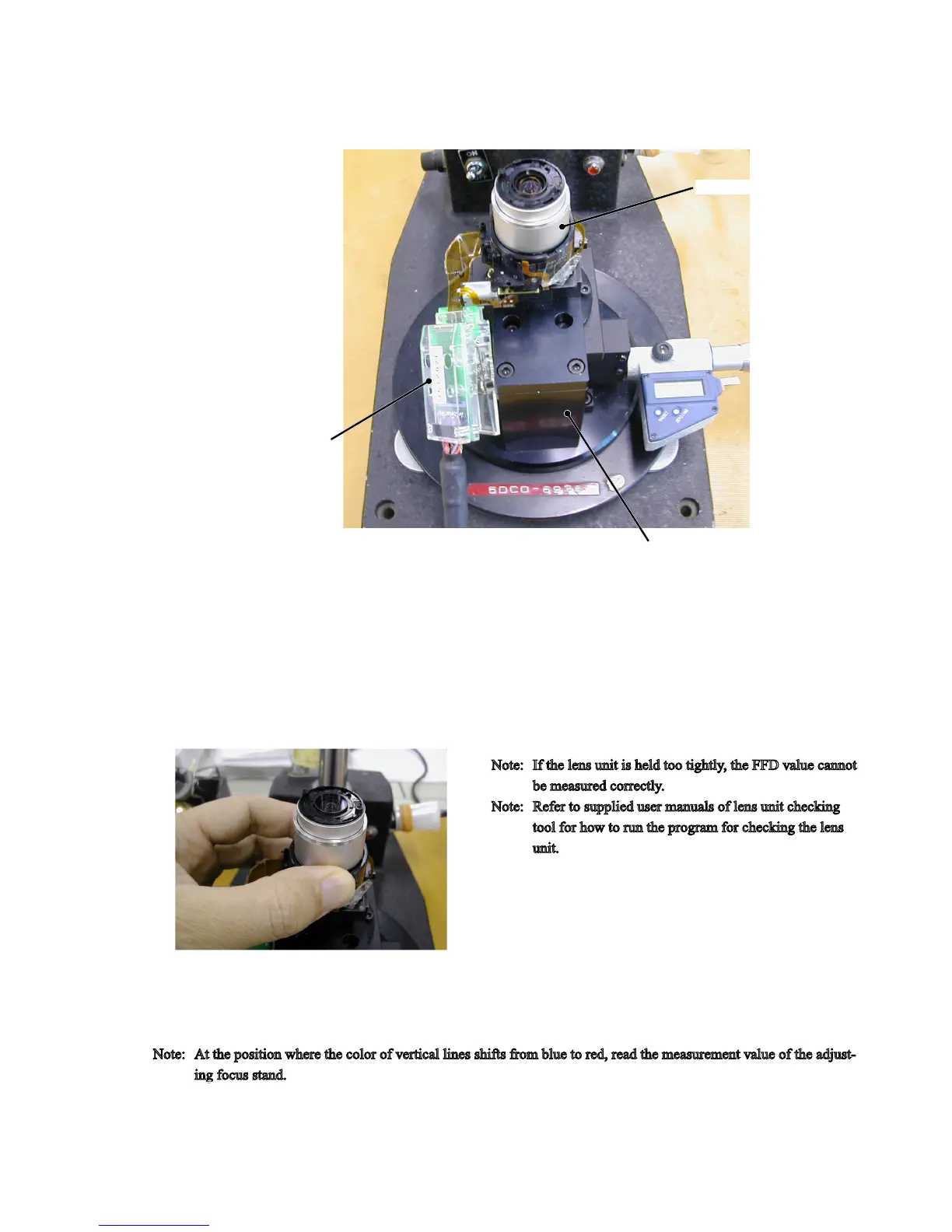
・ After mounting the lens unit on the adjusting focus stand (J15327), connect the wire (J61202E) of the lens unit checking
tool (J61202).
Lens(-barrel) unit
Wire (J61202E)
・
Hold the lens unit lightly with a hand, and run the program for checking the lens unit.
Note:
If the lens unit is held too tightly, the FFD value cannot
be measured correctly.
Note:
Refer to supplied user manuals of lens unit checking
tool for how to run the program for checking the lens
unit.
・ On the main menu of the lens unit checking program, click on "FFD Check" icon, and measure the FFD value according
to instructions of the PC screen.
Note:
At the position where the color of vertical lines shifts from blue to red, read the measurement value of the adjust
-
ing focus stand.
Adjusting focus stand for APS (J15327)



 To Next Page