VAA46003-R.3659.A
- A22 ・ E7900 -
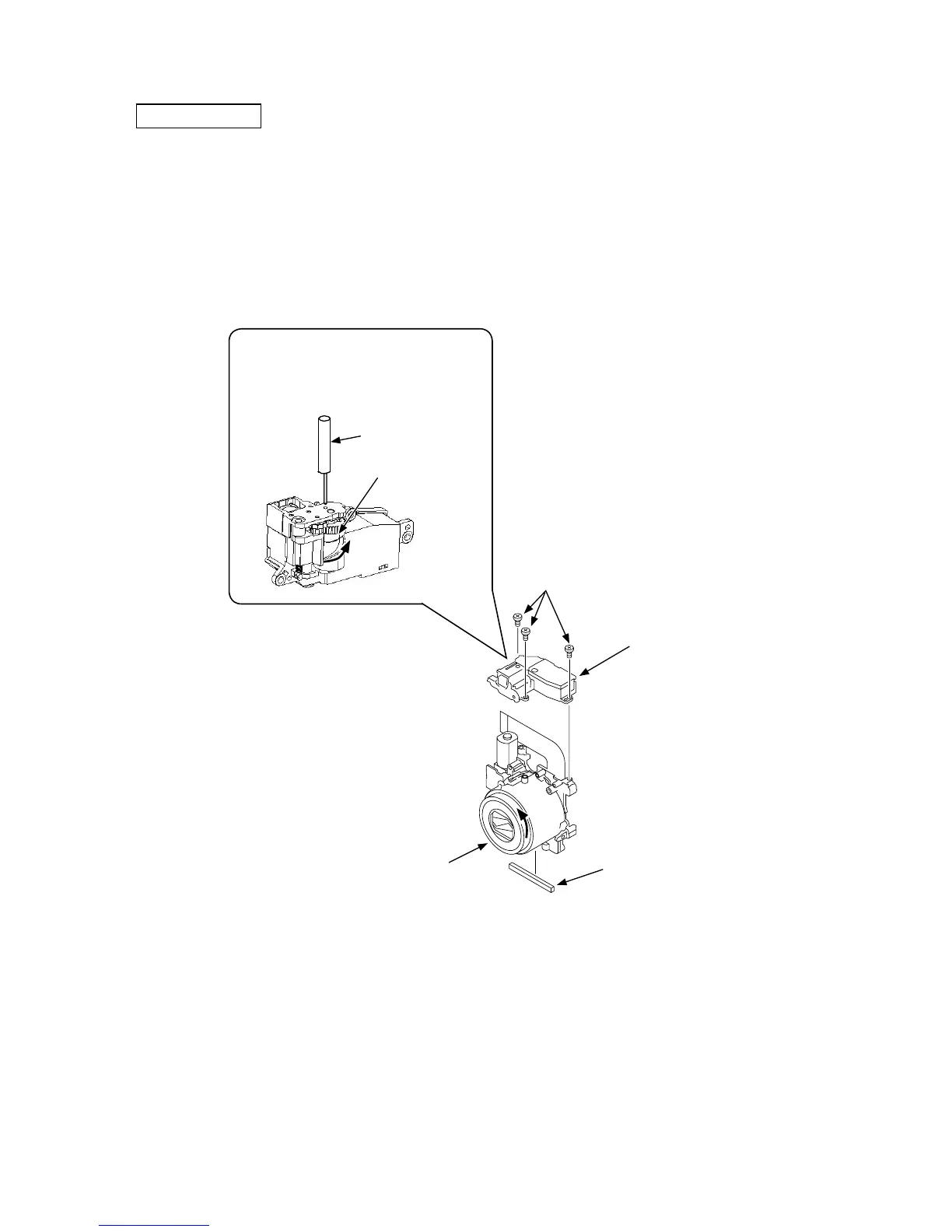
FINDER UNIT
A
Screws (815)
Finder unit (B501)
B
・ Turn the finder in the arrow A direction until it stops and then return it a little where a hole exists. Insert the pin tool
(J61201) into the hole.
・ Make sure that the lens is in the stowed position.
・ Move the lens barrel unit in the arrow "B" direction.
・ Install the finder unit (B501) into the lens unit and tighten the three screws (815).
・ Remove the pin tool (J61201) from the finder unit.
・ Set the Light-shiled sponge (741).
Turn the finder in the counterclockwise to
its limit, return it a little and insert the pin
tool (J61201) into the hole.
Finder cam
Pin tool (J61201)
Lens barrel unit
Light-shiled sponge (741)



 To Next Page