254
Technical Notes—Troubleshooting
Troubleshooting
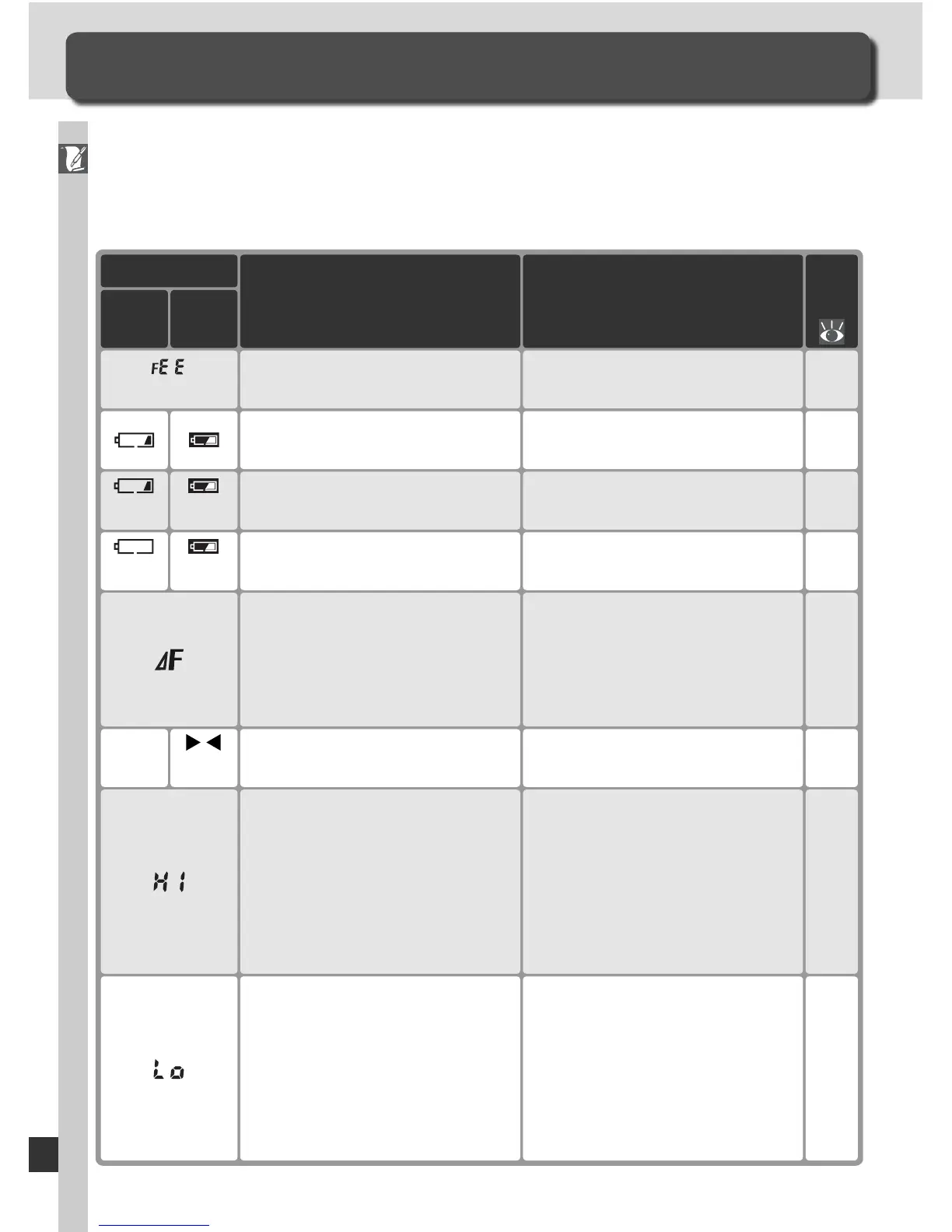
Understanding Error Messages and Displays
This section lists the indicators and error messages that appear in the view-
fi nder, control panel, and monitor when there is a problem with the camera.
Con sult the list below before contacting your retailer or Nikon representa-
tive.
Indicator
Problem
Control
panel
View-
fi nder Solution
20
Lens aperture ring is not set to
minimum aperture.(blinks)
Set ring to minimum aperture
(largest f/-number).
27Low battery.
Ready a fully-charged spare
bat tery.
27Battery exhausted.
(blinks) (blinks)
Replace battery.
130
No lens attached, or non-
CPU lens attached without
specifying maximum aperture.
Aperture shown in stops from
maximum aperture.
Aperture value will be dis-
played if maximum aperture
is specifi ed.
83
Camera unable to focus using
autofocus.
(blinks)
Focus manually.
52
245
88
90
Subject too bright; photo will
be overexposed.
• Choose a lower sensitivity
(ISO equivalency)
• Use optional ND fi lter
• In ex po sure mode:
S Increase shutter speed
A Choose a smaller ap er ture
(larg er f/-number)
52
106
88
90
Subject too dark; photo will be
underexposed.
• Choose a higher sensitivity
(ISO equivalency)
• Use optional Speedlight
• In ex po sure mode:
S Lower shutter speed
A Choose a larger ap er ture
(smaller f/-number)
27Battery can not be used.
(blinks) (blinks)
Contact Nikon-authorized ser-
vice representative.



 To Next Page