y
52
Saving Selected Frames
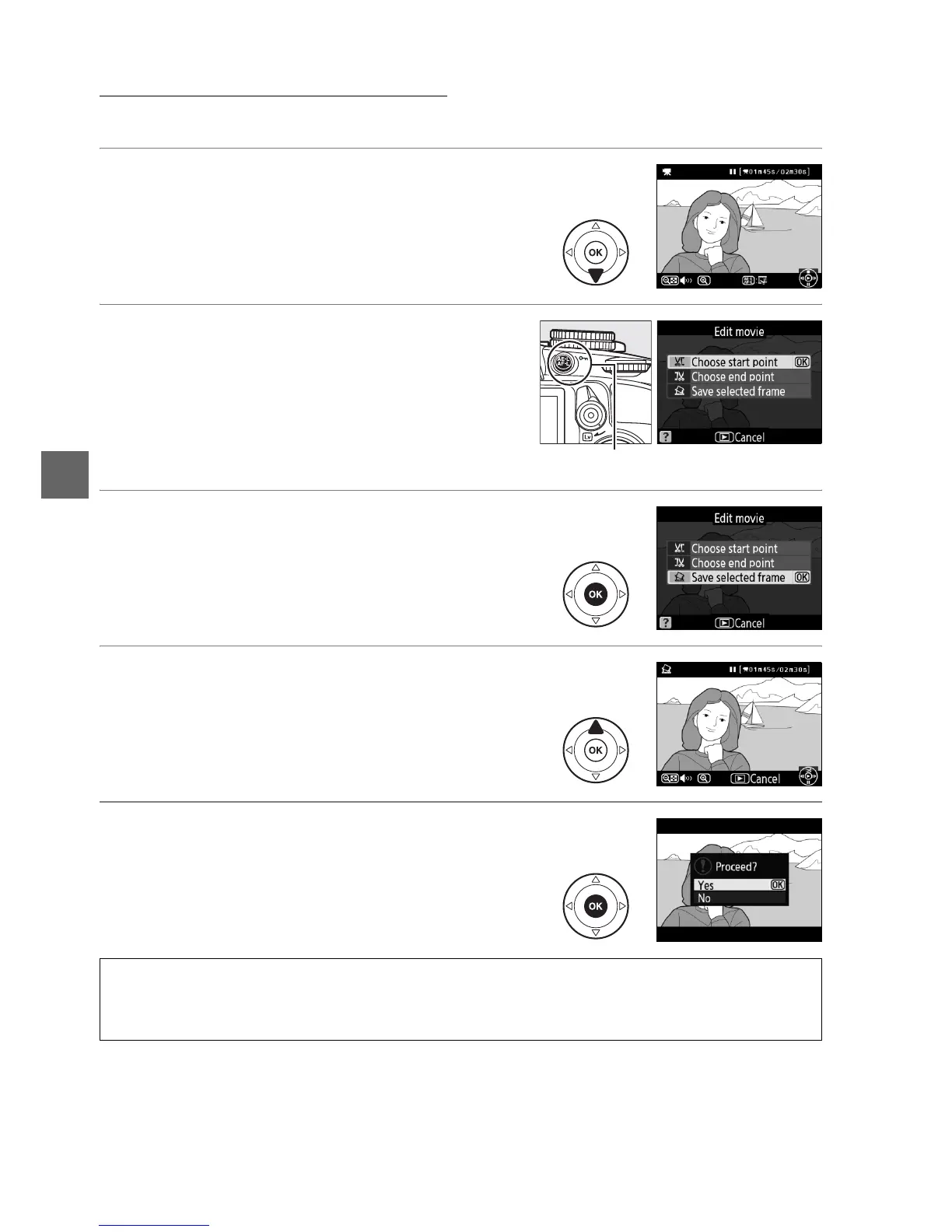
To save a copy of a selected frame as a JPEG still:
1 View the movie and choose a frame.
Play the movie back as described on page
49.
Pause the movie at the frame you intend
to copy.
2 Display the retouch menu.
Press the AE-L/AF-L button to display the
retouch menu.
3 Choose Save selected frame.
Highlight Save selected frame and press J.
4 Create a still copy.
Press 1 to create a still copy of the current
frame.
5 Save the copy.
Highlight Ye s and press J to create a JPEG
copy of the selected frame.
Movie stills are
indicated by a f icon in full-frame playback.
A Save Selected Frame
JPEG movie stills created with the Save selected frame option can not be retouched.
JPEG
movie stills lack some categories of photo information (0 100).
AE-L/AF-L button



 To Next Page