Basic
Setu~
A language-selection dialog will be displayed
the
first
time
the camera
is
turned on.
Choose a language and set the
time
and date. Photographs can
not
be taken until
you have set the
time
and date.
1 Turn
the
camera on.
A language-selection dialog will be displayed.
mEnghsh (@
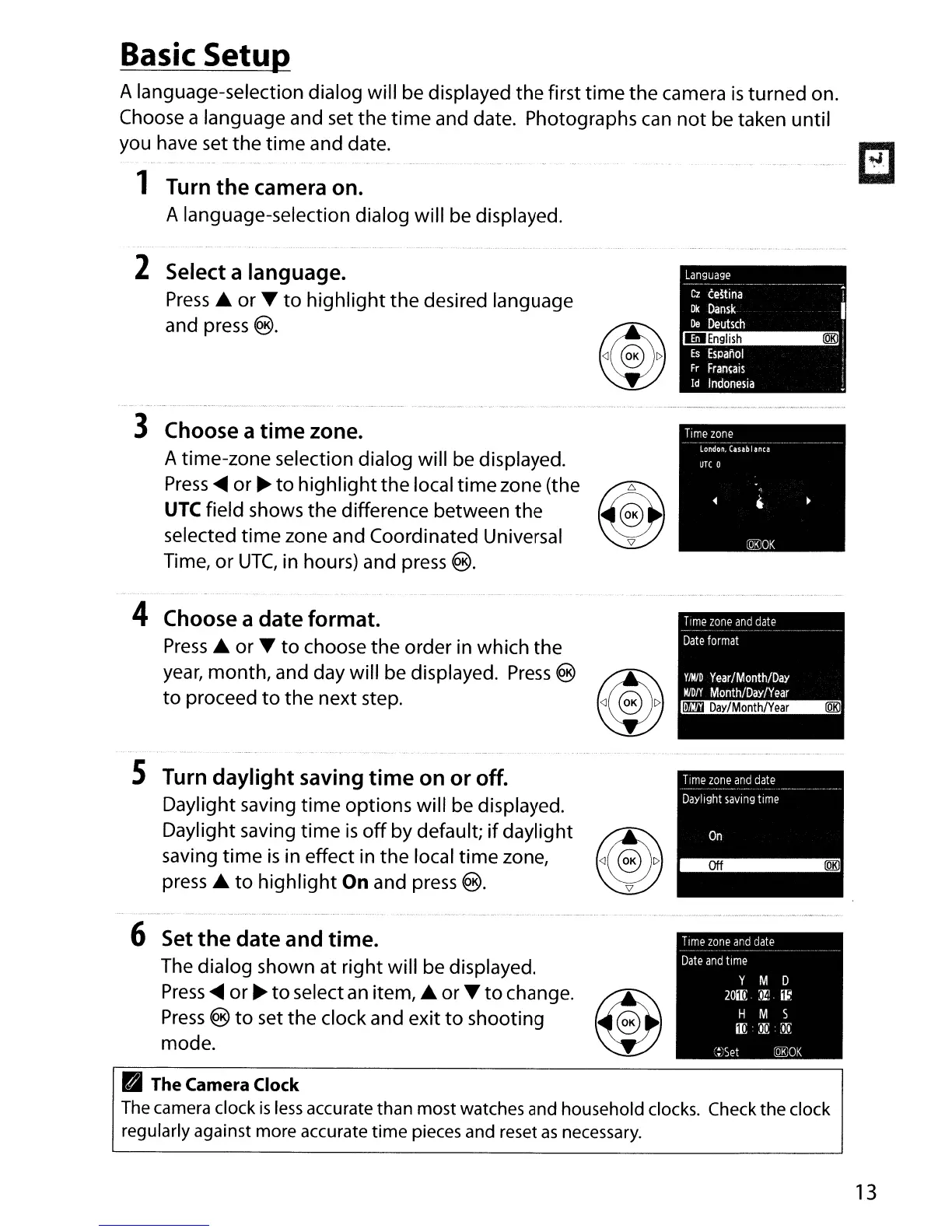
2 Select a language.
Press
A or T
to
highlight
the desired language
and press
®.
Language
Cz
ce~tina
Ok
Dansk
De
Deutsch
Es
Espanol
Fr
Fran~ais
Id
Indonesia
--
~
...
3 Choose a
time
zone.
A time-zone selection dialog will be displayed.
Press
<llIIII
or
~
to
highlight
the local time zone (the
~QO\le:,K
UTe field shows
the
difference between the v
selected
time
zone and Coordinated Universal
Time,
or
UTC,
in hours) and press
®.
4 Choose a
date
format.
Press
A or T
to
choose
the
order in which
the
year,
month, and day will be displayed.
Press
®
~<l~OK
I>
to
proceed
to
the
next step.
'W
S Turn daylight saving
time
on or off.
Daylight saving
time
options will be displayed.
Daylight saving
time
is
off
by
default;
if
daylight
~~O\lK
I>
saving
time
is
in effect in the local
time
zone,
~
press A
to
highlight
On
and press
®.
6 Set
the
date
and time.
The dialog shown at right will be displayed.
Press
<llIIII
or
~
to
select
an
item, A or T
to
change.
~
Press
®
to
set the clock and exit
to
shooting @
mode
.
Time
zone
and
date
Date
format
YIM/D
Year/Month/DaY
MlDty
Month/Day/Year
~
Time
zone
and
date
Date
and
time
Y M 0
20m:
)!!.
~
H M 5
m::lI!:
:iIi:
::?Set
lQEJOK
• The Camera Clock
The
camera clock
is
less
accurate than most watches and household
clocks.
Check the clock
regularly against more accurate time pieces and reset
as
necessary.
13



 To Next Page