EasyManua.ls Logo

Nikon D3100 - Page 36

Nikon D3100
318 pages
Print Icon
To Next Page IconTo Next Page

To Previous Page IconTo Previous Page
Loading...
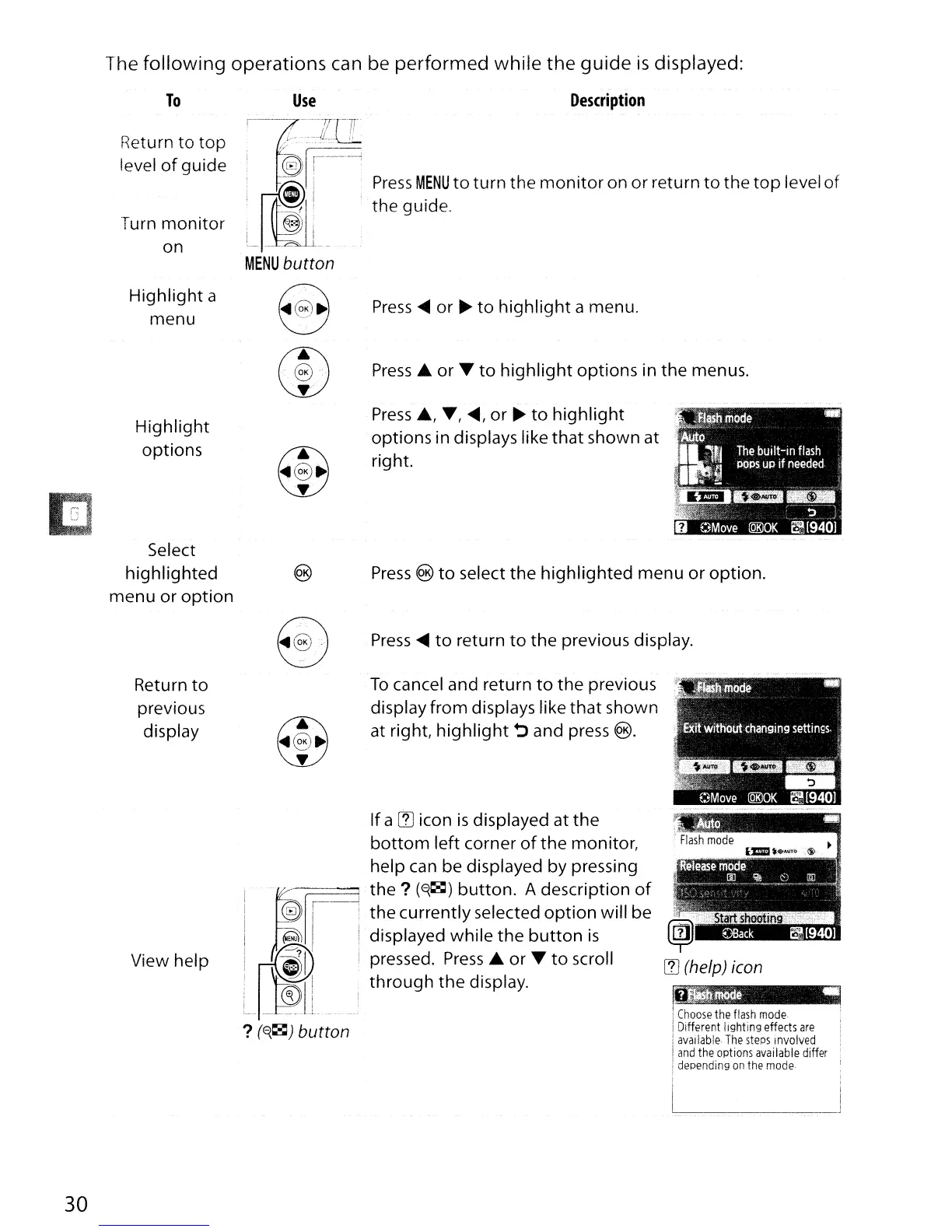
The following operations can
be
performed while the
guide
is
displayed:
To
Return to top
level
of
guide
Turn
monitor
on
Highlight a
menu
Highlight
options
Select
highlighted
menu or option
Use
Description
Press
MENU
to
turn the
monitor
on or return
to
the
top
level
of
the guide.
Press
~
or
~
to
highlight
a menu.
Press
....
or T
to
highlight
options in the menus.
Press
....
,
T,
~,
or
~
to
highlight
options in displays like
that
shown at
right.
Press
to
select the highlighted menu or option.
Press
~
to
return
to
the previous display.
30
Return
to
previous
display
View help
To
cancel and return
to
the previous
display from displays like that shown
at right,
highlight
~
and
press
(§.
Ifa
IT]
icon
is
displayed at the
bottom
left corner
of
the monitor,
help
can
be displayed by pressing
w----;:::::::::::::~
the?
(~~)
button. A description
of
the currently selected
option
will be
displayed while the
button
is
pressed.
Press
....
or T
to
scroll
through the display.
?
(~~)
button
Choose
the
flash
mode
Different
lighting
effects
are
i
available
The
steps
Involved
!
and
the
options
available
differ
i
depending
on
the
mode

Table of Contents

Other manuals for Nikon D3100

Related product manuals