EasyManua.ls Logo

Nikon D3100 - Page 46

Nikon D3100
318 pages
Print Icon
To Next Page IconTo Next Page

To Previous Page IconTo Previous Page
Loading...
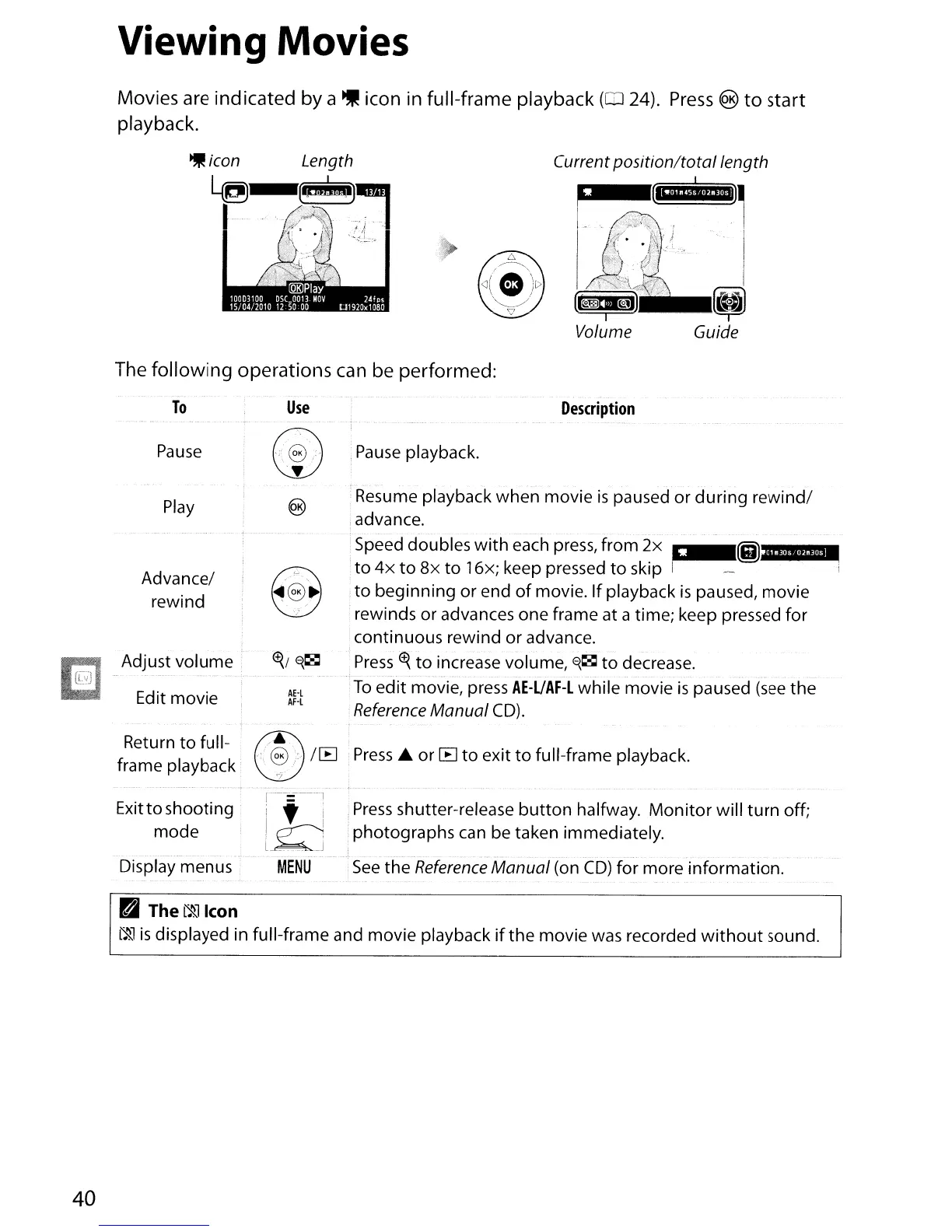
Viewing Movies
Movies
are
indicated by a
~
icon in full-frame playback
(0
24).
Press
®
to
start
playback.
Current
position/total
length
r
~,.(iII.nI'Utl)'
I
j
I.;r.
f,'
, j
...
I
\ i
'.:'
'.,
I
'ii>
'~;
!
(l.~;tl
[,,1
Volume Guide
The following operations
can
be performed:
To
Pause
Use
Pause
playback.
Description
Play
Advance/
rewind
Adjust
volume
Edit movie
AE·l
AF·l
Resume playback when movie
is
paused or
during
rewind/
advance.
- . . _ .
Speed doubles
with
each
press,
from
2x
,
~!!iH'%"
to
4x
to
8x
to
16x; keep pressed
to
skip I I
to
beginning or end
of
movie.
If
playback
is
paused, movie
rewinds or advances one frame at a time; keep pressed for
continuous rewind
or
advance.
Press
~.
to
increase volume,
~~
to
decrease.
To
edit
movie, press
AE-UAF-l
while movie
is
paused
(see
the
Reference
Manual
CD).
Return
to
full-
frame playback
®
..
<:
@;:
/[8
Press
....
or
[8
to
exit
to
full-frame playback.
'/
Exitto shooting
mode
Display menus
Press
shutter-release
button
halfway.
Monitor
will
turn
off;
photographs can be taken immediately.
See
the
Reference
Manual
(on
CD)
for more information.
40
D
The~lcon
~
is
displayed in full-frame and movie playback
if
the
movie was recorded
without
sound.

Table of Contents

Other manuals for Nikon D3100

Related product manuals