Image Size
Image size
is
measured in pixels. Choose from
the
following
options:
Image
size
Size
(pixels)
Print
size
(em/in.)
*
IbJ
large 4,608 x 3,072 39 x 26/15.4 x 10.2
1M]
Medium
3,456 x 2,304 29.3 x 19.5/11.5 x 7.7
mJ
Small
2,304 x 1,536 19.5 x
1317.7
x
5.1
*
Approximate
size
when
printed
at
300
dpi.
Print size in inches equals
image
size in pixels
divided
by
printer
resolution in
dots
per
inch
(dpi; 1
inch=approximately
2.54 cm).
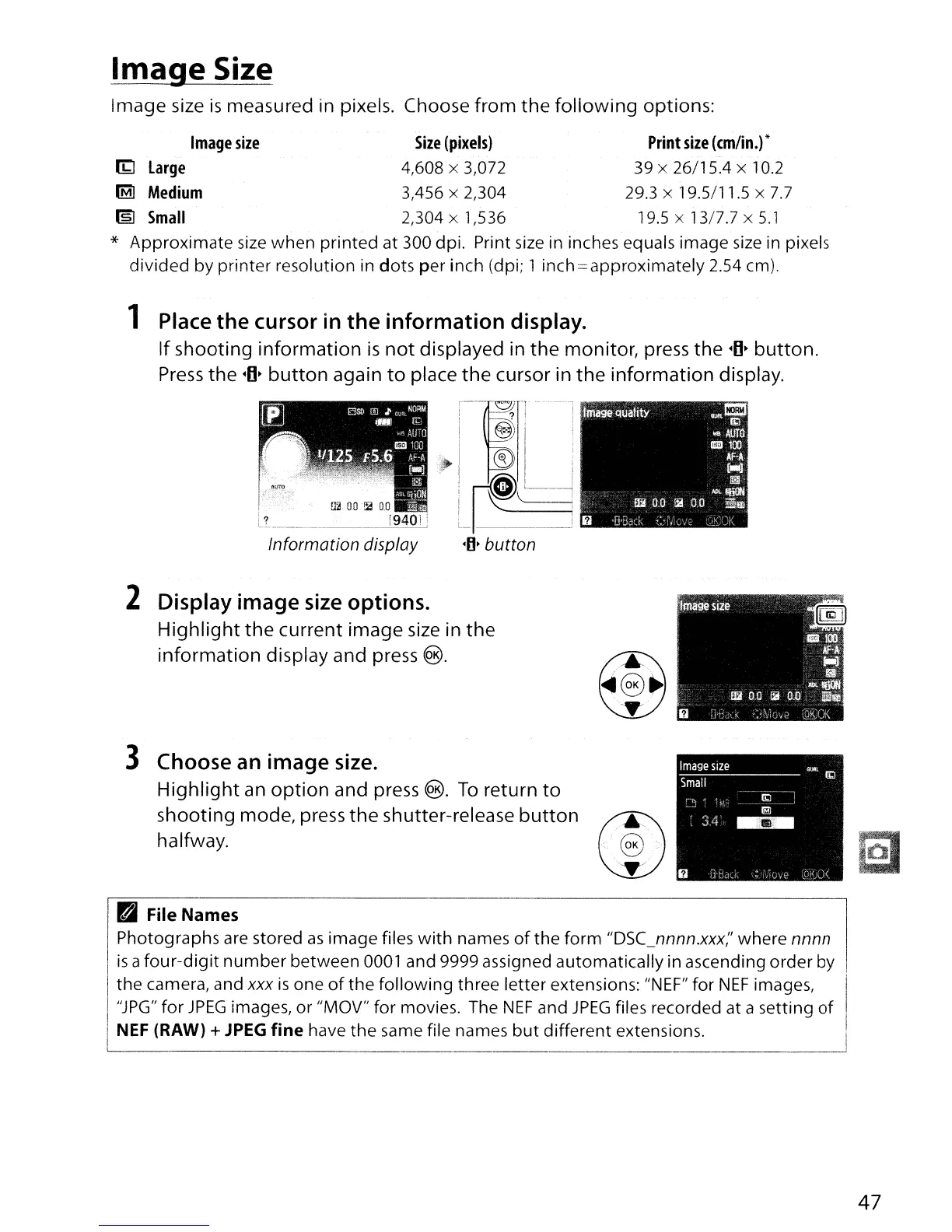
1 Place the cursor in
the
information
display.
If
shooting
information
is
not
displayed in
the
monitor, press the
-0-
button.
Press
the
-0-
button
again
to
place
the
cursor in
the
information
display.
Information
display
:--!go
_
, ? I
I
E);;i,'
I
~I
'
I
~I
'
I
~I
'
I ! i
I
~i
'------1
I
~
\.
i
L~
__
~~
J
-0-
button
2 Display image size options.
Highlight
the
current image size in
the
information
display and press ®.
3 Choose an image size.
Highlight
an
option
and press ®.
To
return
to
shooting mode, press
the
shutter-release
button
halfway.
@
,
........•.
@
.•••
>
''Y:: ?
PI
File
Names
Photographs
are stored
as
image
files
with
names
of
the
form
"DSC_nnnn.xxx;'
where
nnnn
I
is
a
four-digit
number
between
0001 and 9999 assigned
automatically
in ascending
order
by
I
the
camera, and xxx
is
one
of
the
following
three
letter
extensions: "NEF"
for
NEF
images,
I'
I
"JPG"
for
JPEG
images,
or
"MOV"
for
movies. The
NEF
and
JPEG
files recorded
at
a
setting
of
I
I
NEF
(RAW) +
JPEG
fine
have
the
same file names
but
different
extensions.
~
47



 To Next Page