23
Tutorial—Using the Self-timer or Remote Control
5
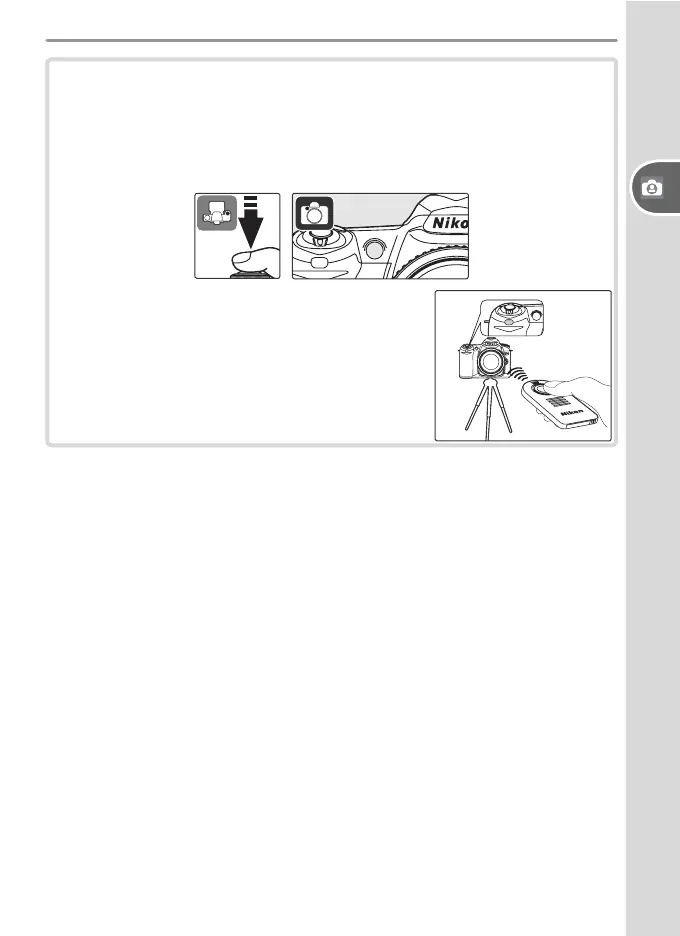
Take the photograph.
Self-timer: Press the shutter-release button all the way down to start
the self-timer. The self-tim er lamp (AF-assist lamp) will blink for about
eight seconds. The lamp stops blinking two seconds before the pho-
tograph is taken and remains lit until the shutter is released.
Remote control: From a distance of 5 m (16´)
or less, point the remote control at the in-
frared receiver on the front of the camera
and press the shutter-release button on the
remote control. In delayed remote mode, the
shutter will be released about two seconds
after the shutter-release button is pressed.



 To Next Page