27
Reference—Using Camera Menus
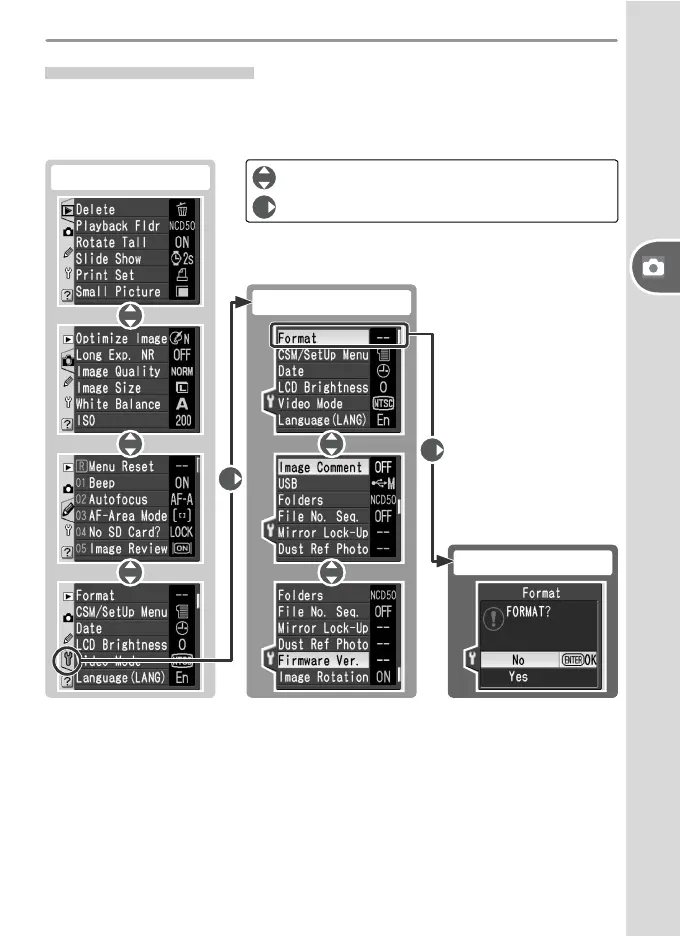
: Press multi selector up or down
: Press multi selector right
Navigating the Menus
To make changes to a menu item, fi rst select the menu from the playback,
shooting, Custom Settings, and setup menus (1), then select the menu item
(2), and fi nally select an option (3).
Some menus may contain multiple pages. The selection for some options is
made from a sub-menu.
(1) Choose menu
(2) Highlight item
(3) Choose option



 To Next Page