13
Introduction—First Steps
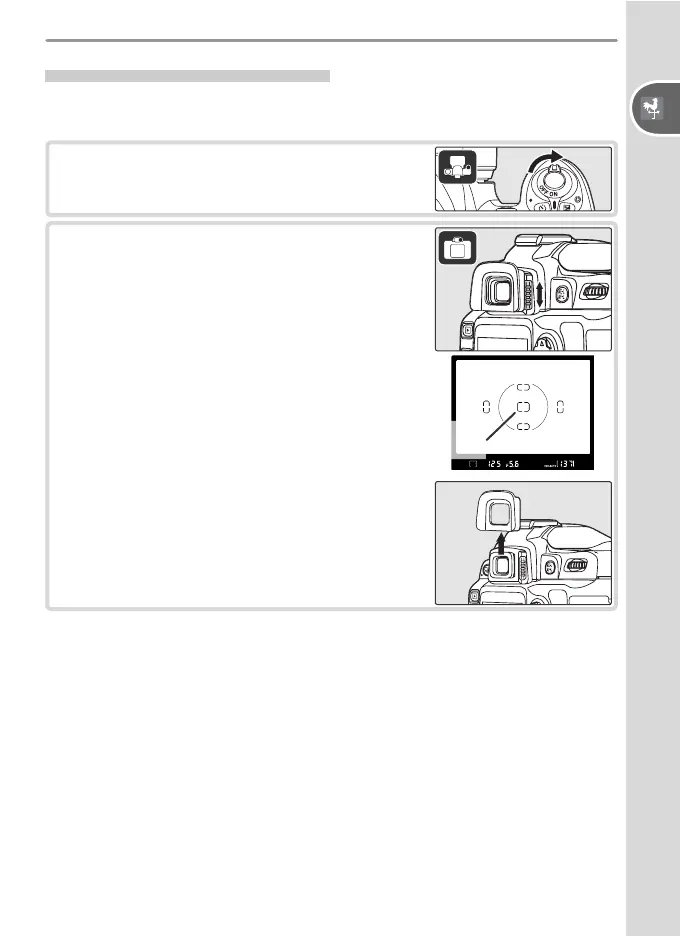
Adjusting Viewfi nder Focus
Photographs are framed in the viewfi nder. Before shooting, make sure that
the display in the viewfi nder is in clear focus.
1
Remove the lens cap and turn the camera
on.
2
Slide the diopter adjustment control up and
down until the focus brackets are in sharp fo-
cus. When operating the diopter adjustment
control with your eye to the viewfi nder, be
careful not to put your fi ngers or fi ngernails
in your eye.
Focus
brackets
The eyepiece cup can be removed when ad-
justing viewfi nder focus.



 To Next Page