44
Reference—P, S, A, and M Modes
A: Aperture-Priority Auto
In mode A, you choose the aperture while the camera controls shutter
speed for optimal exposure. Small apertures (high f/-numbers) increase
depth of fi eld, bringing both the main subject and back ground into focus.
Large apertures (low f/-num bers) soften background details and let more
light into the camera, increasing the range of the fl ash and making photo-
graphs less susceptible to blurring.
1
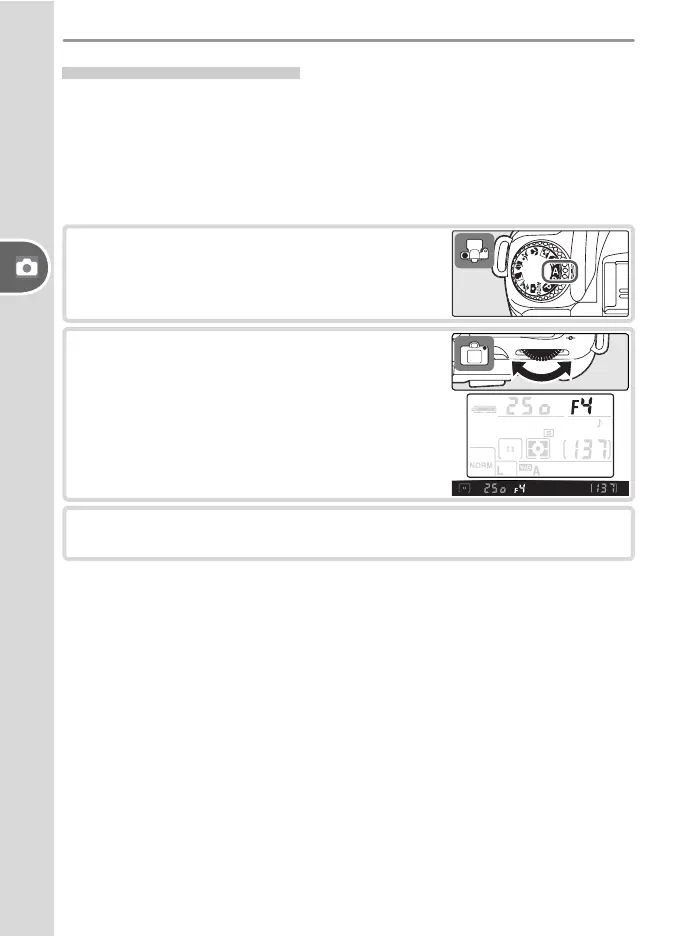
Rotate the mode dial to A.
2
Rotate the com mand dial to choose the de-
sired aperture.
3
Frame a photograph, focus, and shoot.



 To Next Page