43
Reference—P, S, A, and M Modes
S: Shutter-Priority Auto
In mode S, you choose the shutter speed while the camera au to mat i cal ly
selects the aperture that will produce optimal exposure. Use slow shutter
speeds to suggest motion by blurring moving objects, high shutter speeds
to “freeze” motion.
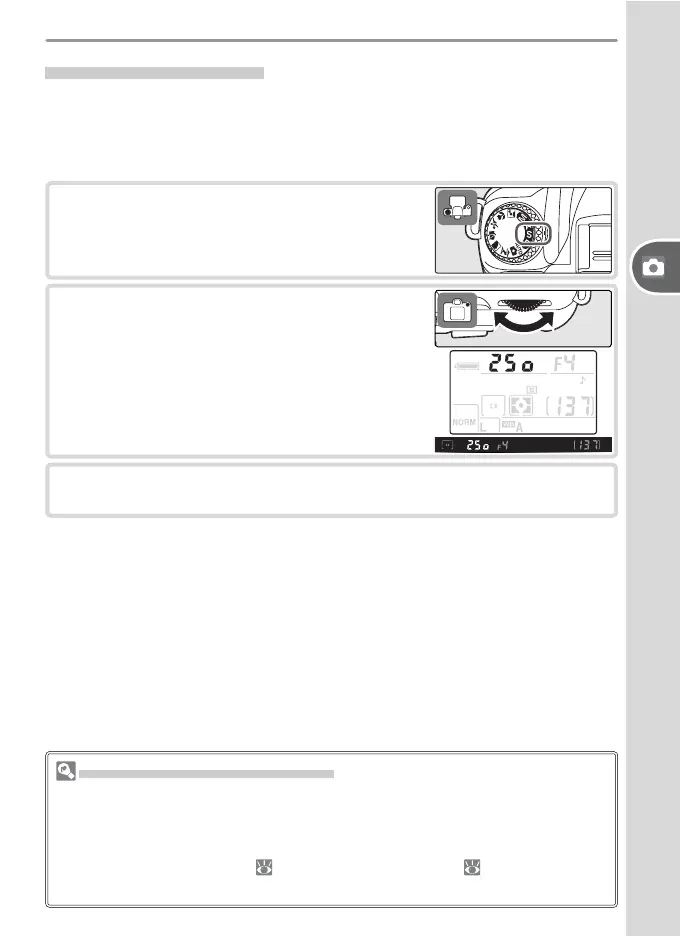
1
Rotate the mode dial to S.
2
Rotate the com mand dial to choose a shutter
speed between 30 s and ¼,000 s.
3
Frame a photograph, focus, and shoot.
Shutter Speed and Camera Shake
To prevent blurring caused by camera shake, the shutter speed should be faster
than the inverse of the focal length of the lens, in seconds (for example, if a lens
has a focal length of 300 mm, shutter speed should be faster than
1
/
300 s). Use of
a tripod is rec om mend ed when shooting at slower shutter speeds. To prevent
blur, try increasing sensitivity ( 39), using the built-in fl ash ( 18), mounting the
camera on a tripod, or attaching a VR lens.



 To Next Page