VBA22001-R.3754.A
-A126 ・ D700-
Shooting-image Adjustment
1. Summary
When the D700 shooting image-related and listed parts on Page A128 are replaced, be sure to make this adjust-
ment by the shooting image adjustment software for D700 (J65120).
Use the D3 reference body beforehand, and get the reference value. Getting reference value will create the
reference data "D700BSD.DAT" automatically.
Make all of the adjustment items in numeric order. They are programmed to perform continuously, so when one
item is completed, the software automatically moves on to the next item.
If the adjustment is interrupted by "NG", the adjustment item can be restarted halfway from the "NG" item, and
the adjustment of items which ended with "OK" have been completed.
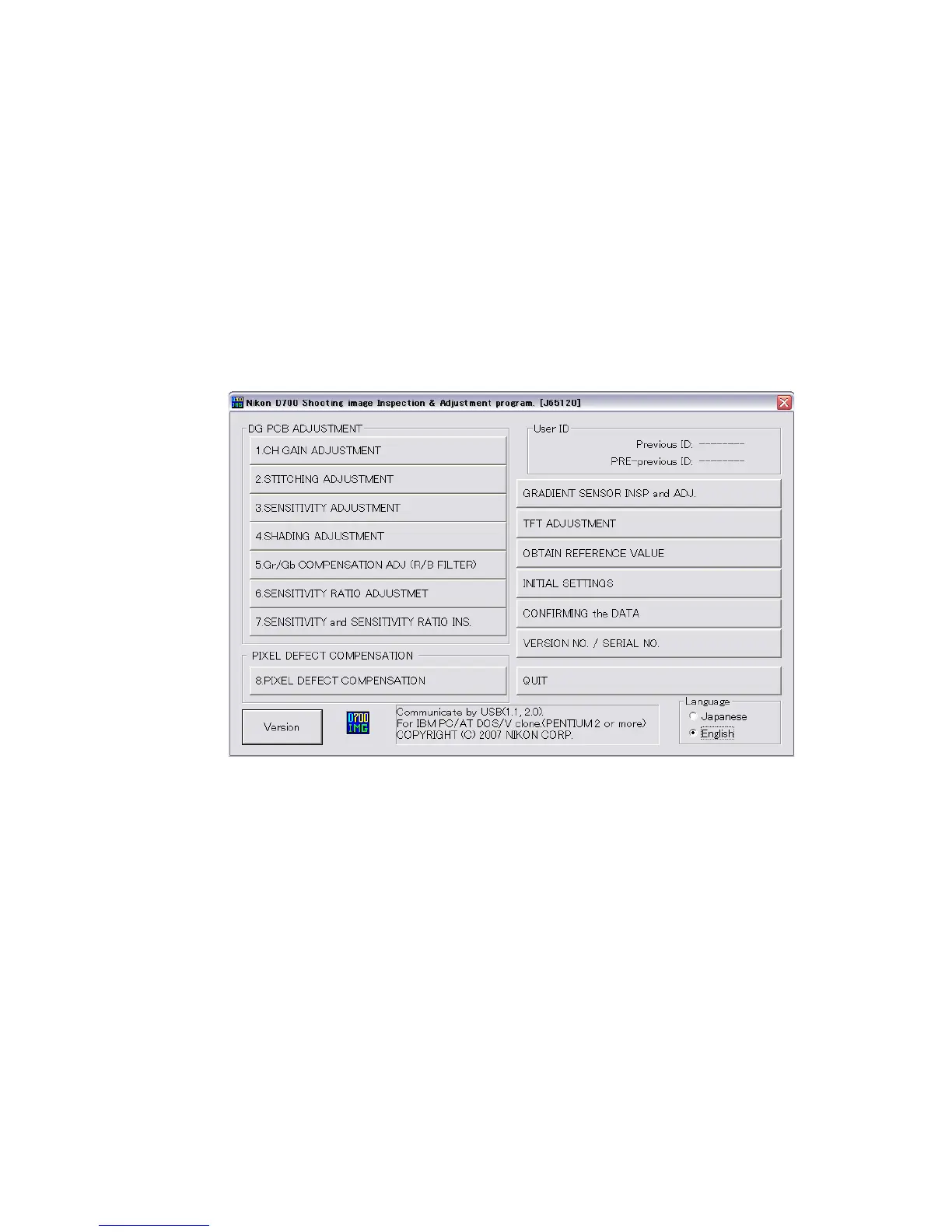
2. Adjustment software function
(1) Gain difference adjustment among channels
(2) Stitching adjustment
(3)"Sensitivity" adjustment
(4)Shading adjustment
(5)Gr/Gb compensation adjustment (R/B lter) / Line crawl adjustment
(6) "Sensitivity ratio" adjustment
(7) "Sensitivity" / "Sensitivity ratio" adjustment
(8) Pixel defect compensation - black point
(9) Pixel defect compensation - white point
Tilted sensor inspection & adjustment
TFT adjustment
Obtain reference value
Initial settings (factory default settings)
Conrm data
Version No./ Serial No.



 To Next Page