91
r
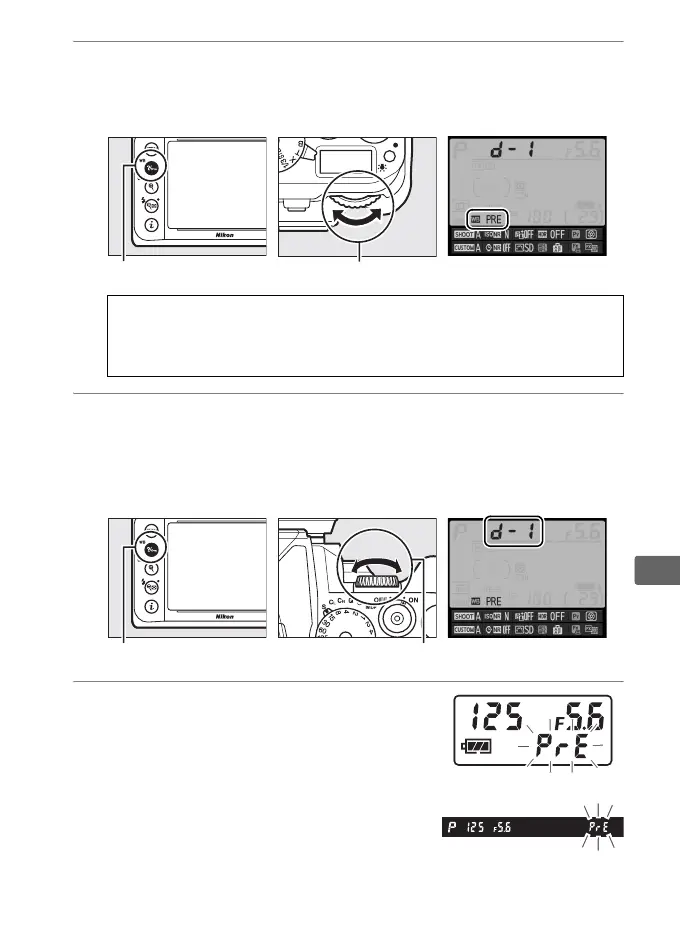
2 Set white balance to L (Preset manual).
Press the L (U) button and rotate the main command dial
until L appears in the information display.
3 Select a preset.
Press the L (U) button and rotate the sub-command dial
until the desired white balance preset (d-1 to d-4) is displayed
in the information display.
4 Select direct measurement mode.
Release the L (U) button briefly
and then press the button until D
starts to flash in the control panel and
viewfinder.
L (U) button Main command dial Information display
A Measuring Preset White Balance (Viewfinder Photography)
Preset manual white balance can not be measured during HDR
photography or multiple exposure (0 112, 149).
L (U) button Sub-command dial Information display
Control panel
Viewfinder



 To Next Page