99
r
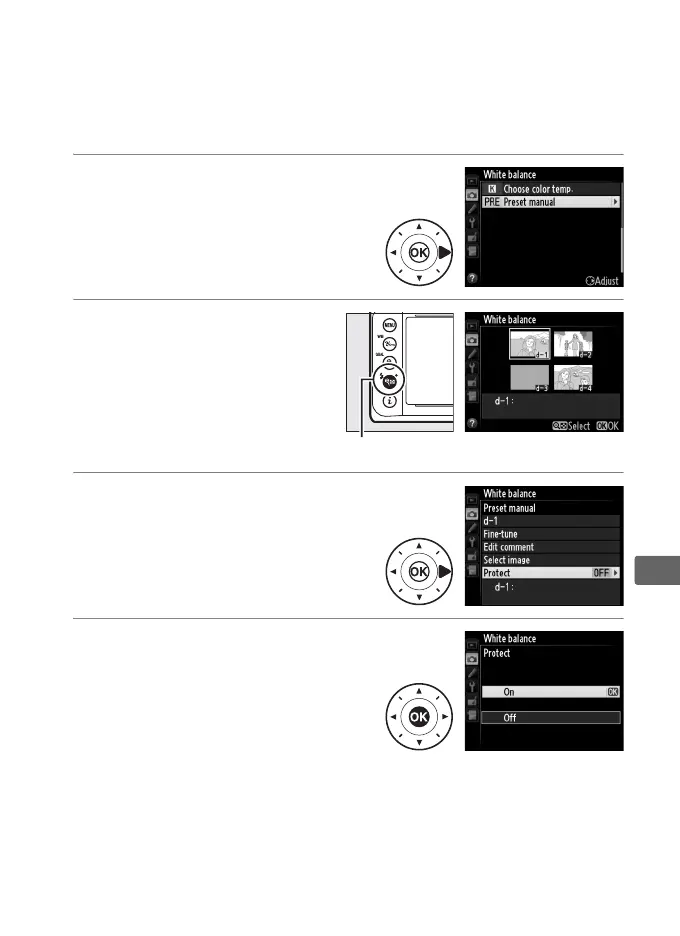
❚❚ Protecting a White Balance Preset
Follow the steps below to protect the selected white balance
preset.
Protected presets can not be modified and the Fine-tune
and Edit comment options can not be used.
1 Select L (Preset manual).
Highlight Preset manual in the
white balance menu and press
2.
2 Select a preset.
Highlight the desired
preset and press W (M).
3 Select Protect.
Highlight Protect and press 2.
4 Select On.
Highlight On and press J to
protect the selected white
balance preset.
To remove
protection, select Off.
W (M) button



 To Next Page