33
s
A The Shutter-Release Button
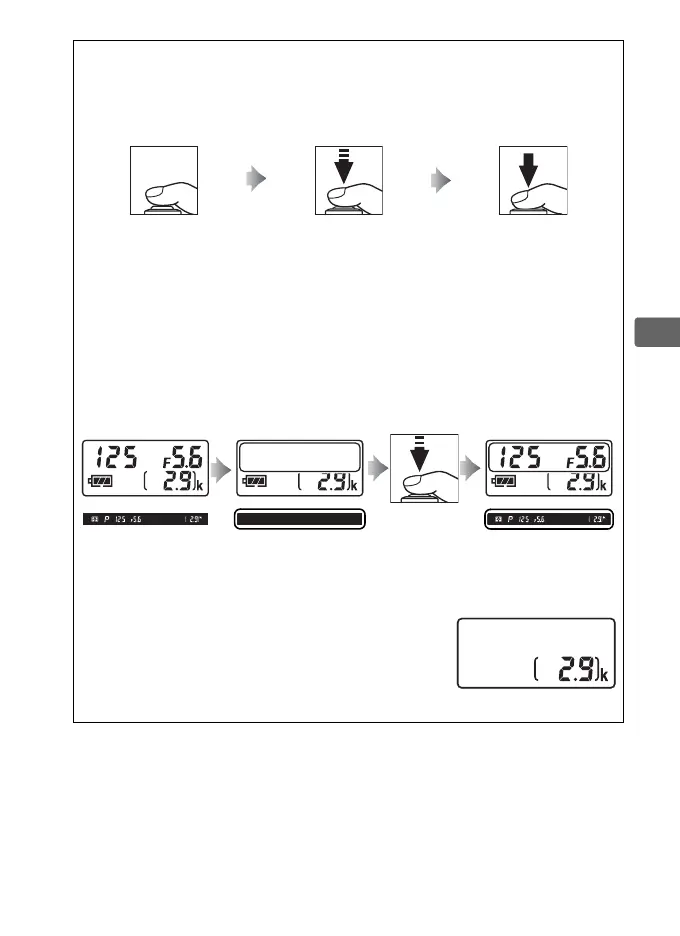
The camera has a two-stage shutter-release button.
The camera focuses
when the shutter-release button is pressed halfway.
To take the
photograph, press the shutter-release button the rest of the way down.
Focus: press halfway Shoot: press all the way
down
A The Standby Timer
The viewfinder and the control panel shutter speed and aperture
displays will turn off if no operations are performed for about 6 seconds,
reducing the drain on the battery.
Press the shutter-release button
halfway to reactivate the display.
The length of time before the standby
timer expires automatically can be selected using Custom Setting c2
(Standby timer, 0 251).
Exposure meters
on
Exposure meters
off
Exposure meters
on
A Camera Off Display
If a battery and memory card are inserted, the
number of exposures remaining will be
displayed when the camera is turned off.
Control panel



 To Next Page