18
The
Mode
Dial
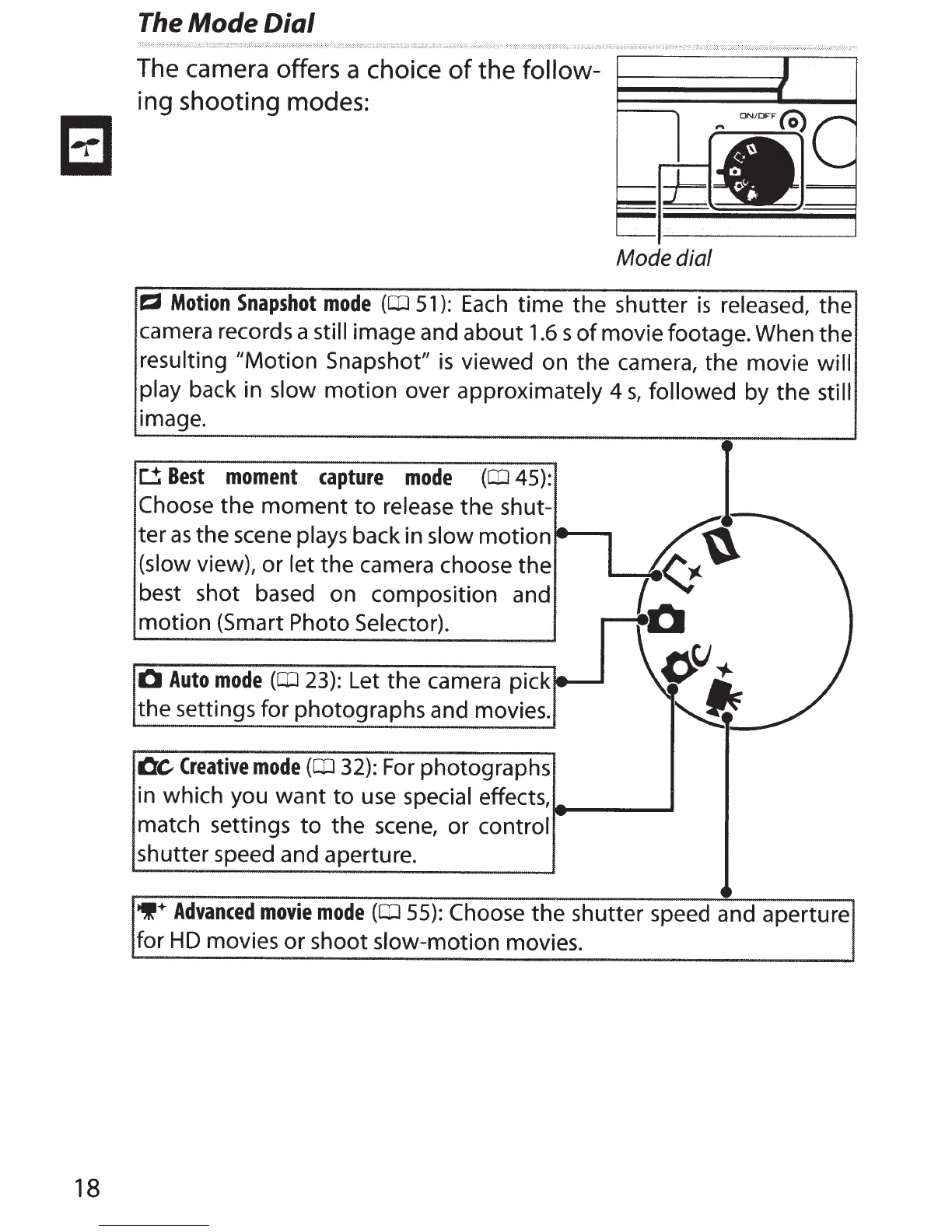
The camera offers a choice
of
the
follow-
ing
shooting
modes:
Mode dial
~
Motion
Snapshot
mode
(OJ
51):
Each
time the shutter
is
released, the
camera records a still
image and about
1.6
s
of
movie footage. When the
resulting "Motion Snapshot"
is
viewed on the camera, the movie will
play back in
slow
motion over
approximately
4
s,
followed
by the
still
image.
D
Best
moment
capture
mode
(OJ
45):
Choose the
moment
to
release
the shut-
ter
as
the scene
plays
back in
slow
motion-----.
(slow
view), or
let
the camera choose the
best shot based on composition and
motion (Smart
Photo Selector).
0
Auto
mode
(OJ
23):
Let the camera pick
the settings for photographs and movies.
Oc
Creative
mode
(OJ
32):
For
photographs
in which you want
to
use
special
effects,
match settings
to
the
scene,
or
control
shutter speed and aperture.
~'
lac
1-
-
-
9+
Advanced
movie
mode
(OJ
55):
Choose the shutter speed and aperture
for H D movies or shoot slow-motion
movies.



 To Next Page