129
i
Select On to enable electronic vibration reduction while record-
ing Motion Snapshots. This feature is available even if the
attached 1 NIKKOR lens does not support vibration reduction.
Note that there will be a slight delay before recording begins
and that the edges of the image will be cropped out when On is
selected.
Choose how the camera focuses.
* Shutter can only be released if camera is able to focus.
Electronic VR
Focus Mode
AF-A
Auto-select AF: The camera automatically selects AF-S if the subject is
stationary, AF-C if it is moving.
AF-S
Single AF: For stationary subjects. Focus locks when the shutter-
release button is pressed halfway.
*
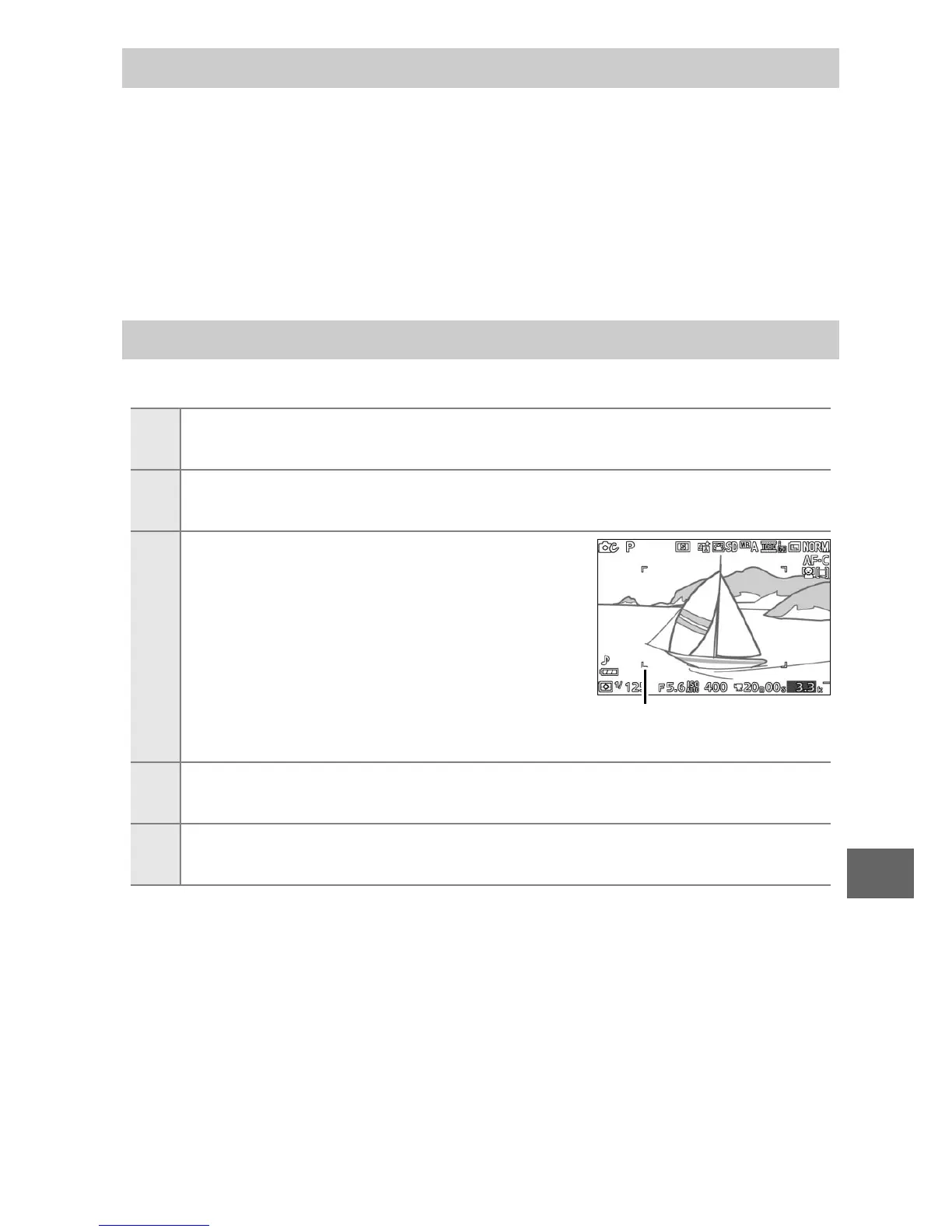
AF-C
Continuous AF: For subjects in motion. The
camera focuses continuously on the sub-
ject in the AF-area brackets while the
shutter-release button is pressed half-
way (note that the AF-area brackets
appear only in the detailed display;
0 159). Photos can be taken whether or
not the camera is in focus.
AF-area brackets
AF-F
Full-time AF: For subjects in motion. The camera focuses continu-
ously; photos can be taken whether or not the camera is in focus.
MF
Manual focus: Focus manually (0 132). Photos can be taken whether
or not the camera is in focus.



 To Next Page