El
38
MManual
In
manual mode, you control both shutter speed and aperture.
II
Choosing
Shutter
Speed
and
Aperture
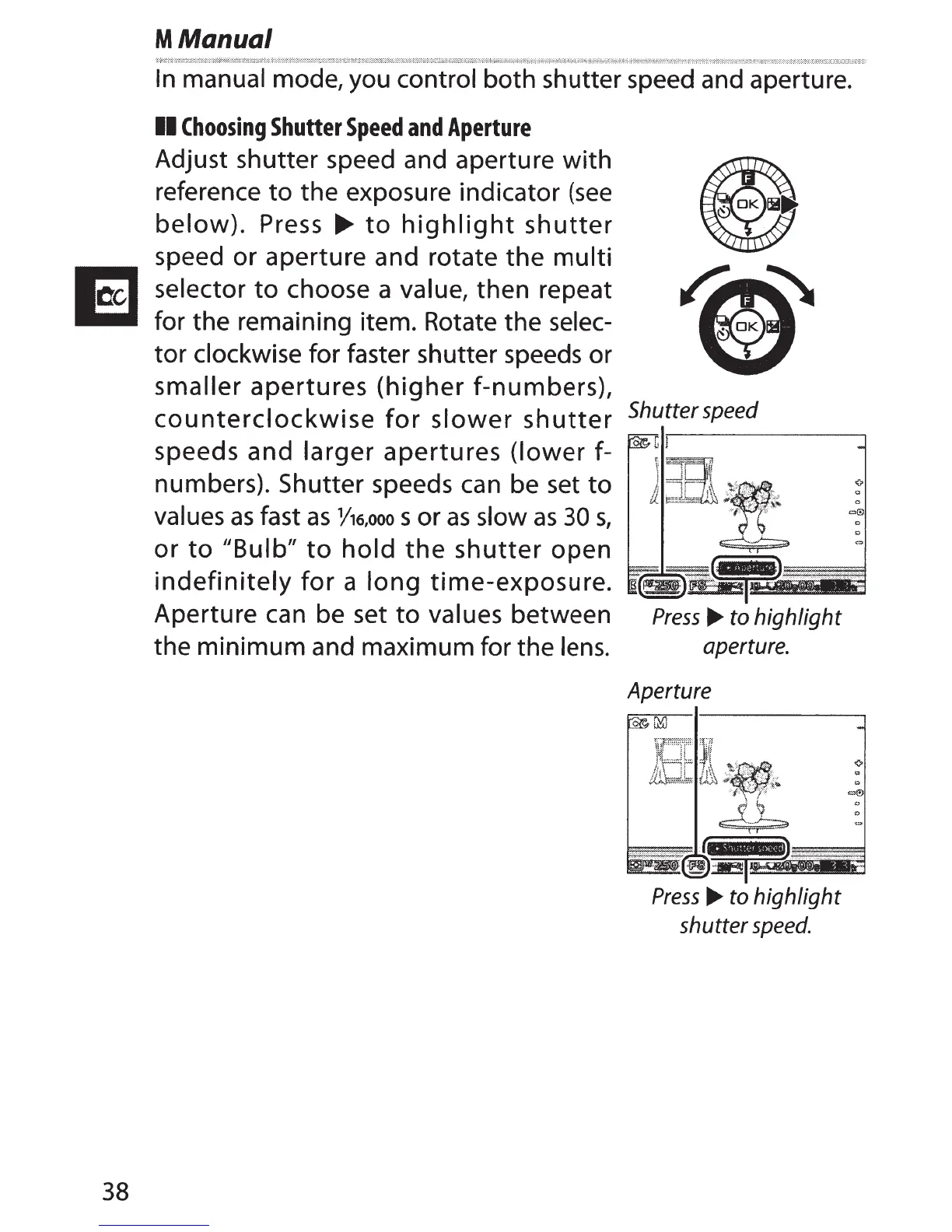
Adjust shutter speed and aperture
with
reference
to
the exposure indicator
(see
below).
Press
~
to
highlight
shutter
speed or aperture and rotate
the
multi
selector
to
choose a value, then repeat
for the remaining item. Rotate the selec-
tor
clockwise for faster shutter speeds or
smaller
apertures
(higher
f-numbers),
counterclockwise
for
slower
shutter
Shutterspeed
speeds and larger
apertures
(lower
f-
numbers). Shutter speeds
can
be set
to
values
as
fast
as
Y16,ooo
s or
as
slow
as
30
s,
or
to
"Bulb"
to
hold
the
shutter
open
indefinitely
for
a
long
time-exposure.
Aperture can be set
to
values between
Press...,.
to highlight
the minimum and maximum for the
lens.
aperture.
Aperture
Press
...,.
to highlight
shutter
speed.



 To Next Page