52
3
Begin buffering.
Press
the shutter-release button
half-
way
to
focus
{CD
25).
An icon
will
be
displayed
as
the
camera
begins
recording
footage
to
the
memory
buffer.
(a )
4
Shoot.
Smoothly
press
the
shutter-release
button the rest
of
the way down. The
camera
will
record a
photograph,
together
with
about
1.6 s
of
movie
footage beginning before and ending
after the time the shutter-release
but
-
ton
was pressed
all
the
way
down.
Note that some time may be required.
When recording
is
complete, the pho-
tograph
will
be displayed for a
few
seconds.
II
Ending
the
Vignette
with
a
Photograph
-
-
To
make the photograph the
same
as
the last
frame in the movie
vignette,
select 1.6
s:
0
s
for Movie before/after
(CD
76).
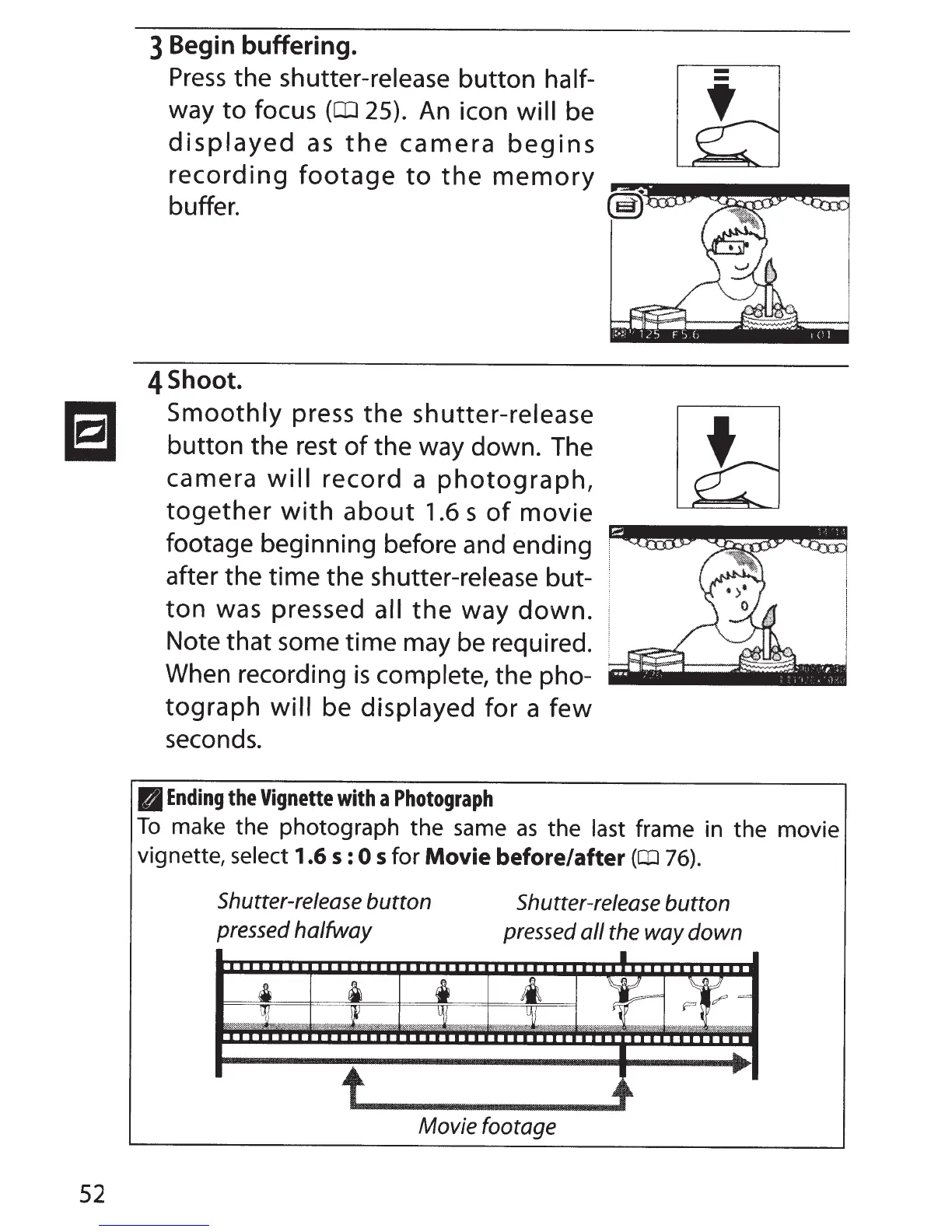
Shutter-release button
pressed
halfway
~
~
u
Shutter-release button
pressed
all
the
way down
•
~-
_::::,o;:;;;:;:;~~'>:Si
.
'
;~t~~~
....
«-=z~-:1~~,:~%ili
::WJr·->::;:;i::~~x...:···
:··::-"(.:;::=:-'.;:;.".;%,f.
~~:::--:·
·
"·&-.;~···
..
··;;::
.,:i:;'~~:z.P~~~-
::-::~~·~:.%%~:·
~?..§.~·-·
;;·······~:--··~.
::?ffi":i?:iY.:-.::-9.~···
'%:!f.;=-4*t'N~W
':l'
:::::-:-:~~'
~:?i::)%
Movie footage



 To Next Page