EasyManua.ls Logo

Nikon J3 - Page 57

Nikon J3
350 pages
Print Icon
To Next Page IconTo Next Page
To Previous Page IconTo Previous Page
Loading...
Recording
and
Viewing
Movies
The camera can record
high-definition
(HD)
movies with
an
aspect ratio
of
16:
9
and
slow-motion
movies with
an
aspect
ratio
of
8 :
3.
Movies
can
be recorded by
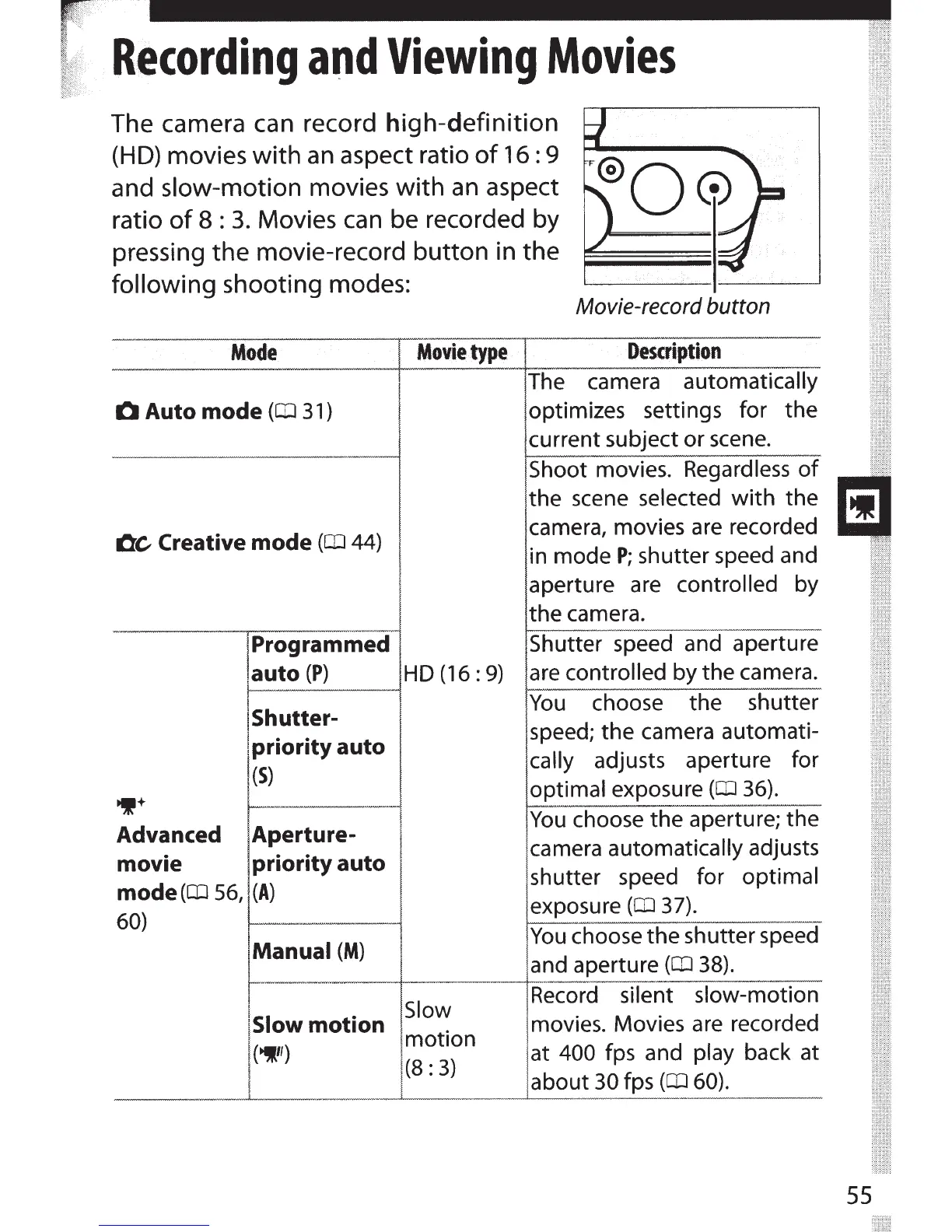
pressing the movie-record button in the
following
shooting modes:
Movie-record button
Mode
Movie
type
Q
Auto mode
(CD
31
)
OC
Creative
mode
(lil
44)
Programmed
,auto
(P)
HD (16 : 9)
1P+
1-----
-
-----!
Shutter-
!
priority auto
(S)
Advanced Aperture-
movie priority auto
mode
(CD
56,
(A)
60)
Manual
(M)
I
!slow
motion
I
(~")
I
Slow
motion
(8:
3)
Description
The camera automatically
optimizes settings for the
current subject or
scene.
Shoot movies.
Regardless
of
the scene
selected
with
the
camera, movies
are
recorded
in mode
P;
shutter speed and
aperture are controlled
by
the camera.
Shutter
speed and aperture
are
controlled by the camera.
You
choose the shutter
speed; the camera automati-
cally
adjusts aperture for
optimal
exposure
(CD
36).
You
choose the aperture; the
camera automatically
adjusts
shutter speed for optimal
exposure
(lil
37).
You
choose the shutter speed
and aperture
(CD
38).
Record
silent slow-motion
movies. Movies
are
recorded
at
400 fps and
play
back at
about
30
fps
(CD
60).
55

Table of Contents

Related product manuals