Use
the built-in flash for additional lighting when the subject
is
poorly
lit
or
to
//fill-in" (illuminate) back-lit subjects. The camera
offers a choice
of
flash
modes; choose a mode according
to
light-
ing conditions and your creative intent.
The
built-in flash
is
avail-
able
in the
following shooting modes:
II
Auto
Pop-up
Modes
In
0 (auto) and in
night
portrait, backlighting, soft, miniature
effect, and
selective color
Oc
(creative) modes, the
flash will
pop-up
automatically and fire when required.
1
Choose
a
flash
mode
(OJ
70).
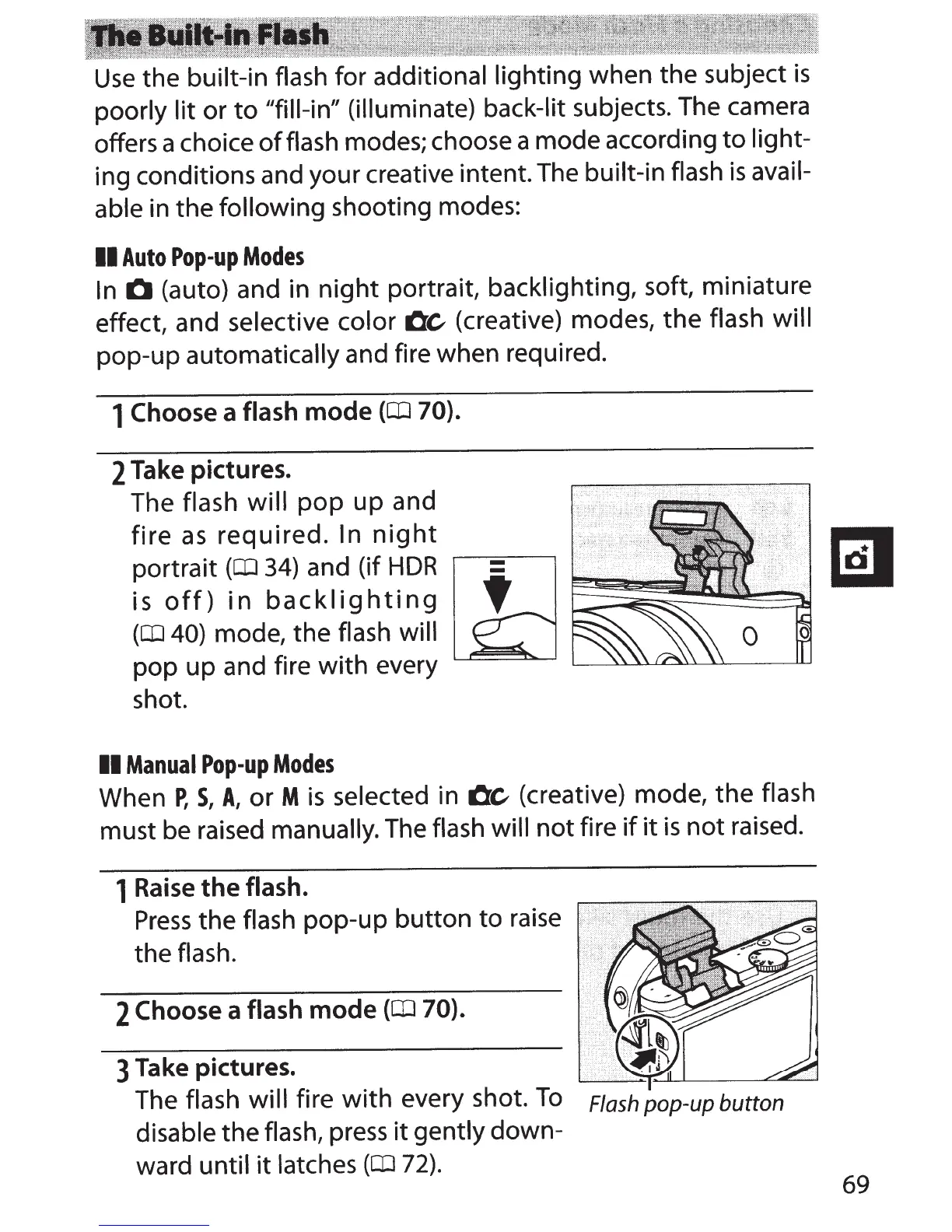
2 Take pictures.
The flash will
pop
up and
fire
as
required. In
night
portrait
(OJ
34)
and (if
HDR
.---==------,
is
off)
in
backlighting
~~~~~~~
(OJ
40)
mode, the flash will
pop up and fire with every
shot.
II
Manual
Pop-up
Modes
When
P,
S,
A,
or M
is
selected
in
Oc
(creative) mode, the
flash
must be raised manually.
The
flash will
not fire
if
it
is
not raised.
1
Raise
the
flash.
Press
the
flash pop-up button to
raise
the
flash.
2
Choose
a
flash
mode
(OJ
70).
3
Take pictures.
The
flash will
fire
with
every shot.
To
Flash pop-up button
disable
the
flash,
press
it
gently down-
ward until
it
latches
(OJ
72).
69



 To Next Page