II
Playback
Menu
Options
··
········
.
Qp.;qp
······
···
•.
•....................
•.
···
i••••:
>••;
I;
···•
•·
·
•••••
••··••·•···•···•····•
·
··
·•·
;···
···
··
••••
i
····••·········••••
\
i
R~~~~~~
l
iJJ
)
....
)··•·•••·•···········
··
··········
··
·
··•.
·:i•·r··
··
····<·
···
···
..
:••·•••••·•
\··
·•·••·••••
?·:.••••·······.·····•
····
·····
·
...
.
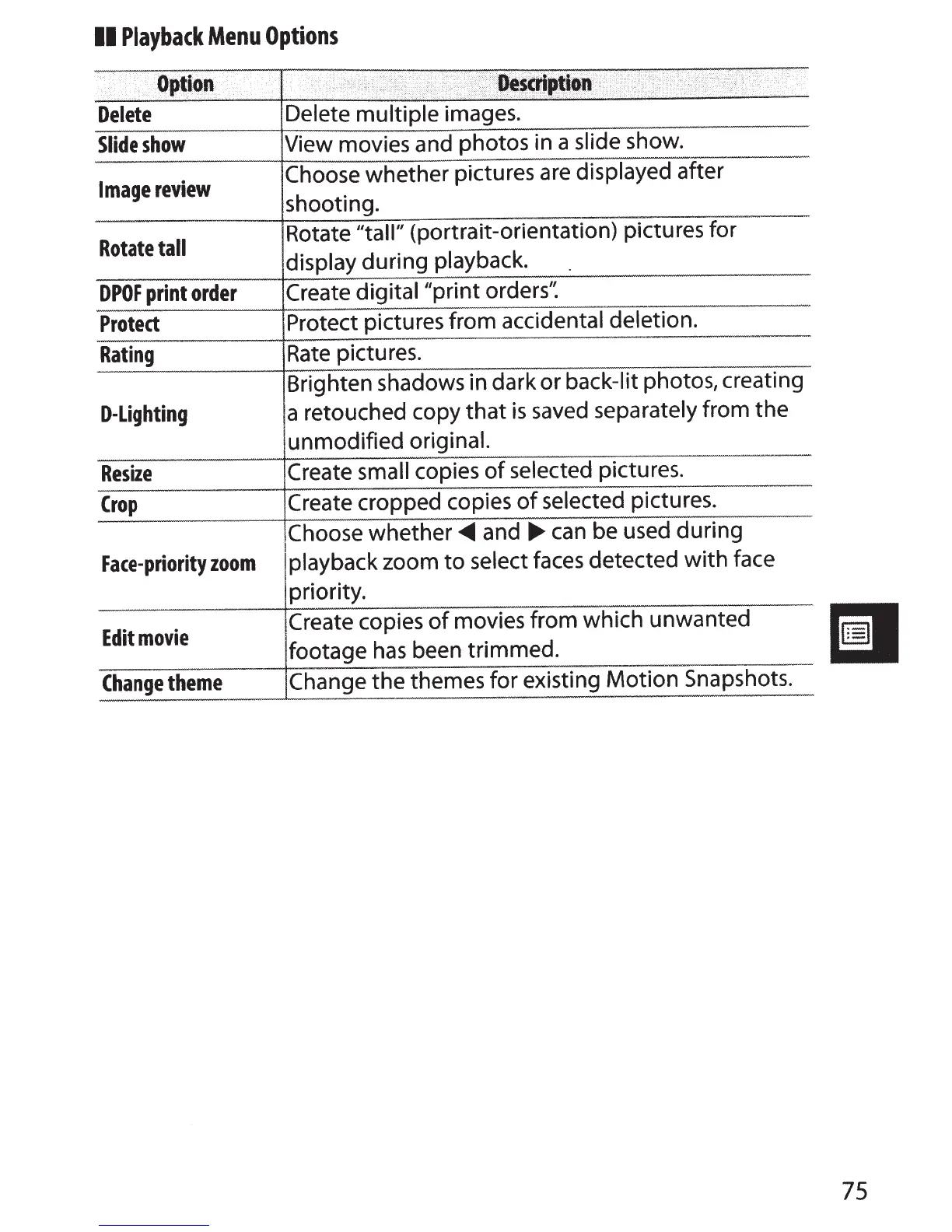
Delete
Delete multiple
images.
Slide
show
View movies and photos in a
slide
show.
Image
review
Choose whether pictures
are
displayed
after
shooting.
Rotate
tall
Rotate "tall"
(portrait-orientation) pictures for
display
during playback.
DPOF
print
order
Create
digital"print
orders':
Protect
Protect pictures from
accidental deletion.
Rating
Rate
pictures.
Brighten shadows in dark or
back-lit photos, creating
D-Lighting
a retouched copy
that
is
saved
separately
from the
unmodified
original.
Resize
Create
small
copies
of
selected
pictures.
Crop
Create cropped copies
of
selected
pictures.
Choose
whether~
and
..,..
can
be used during
Face-priority
zoom
playback zoom
to
select
faces
detected
with
face
priority.
Edit
movie
Create copies
of
movies from which unwanted
footage
has
been trimmed.
-
Change
theme
Change
the
themes for existing Motion Snapshots.
75



 To Next Page