105
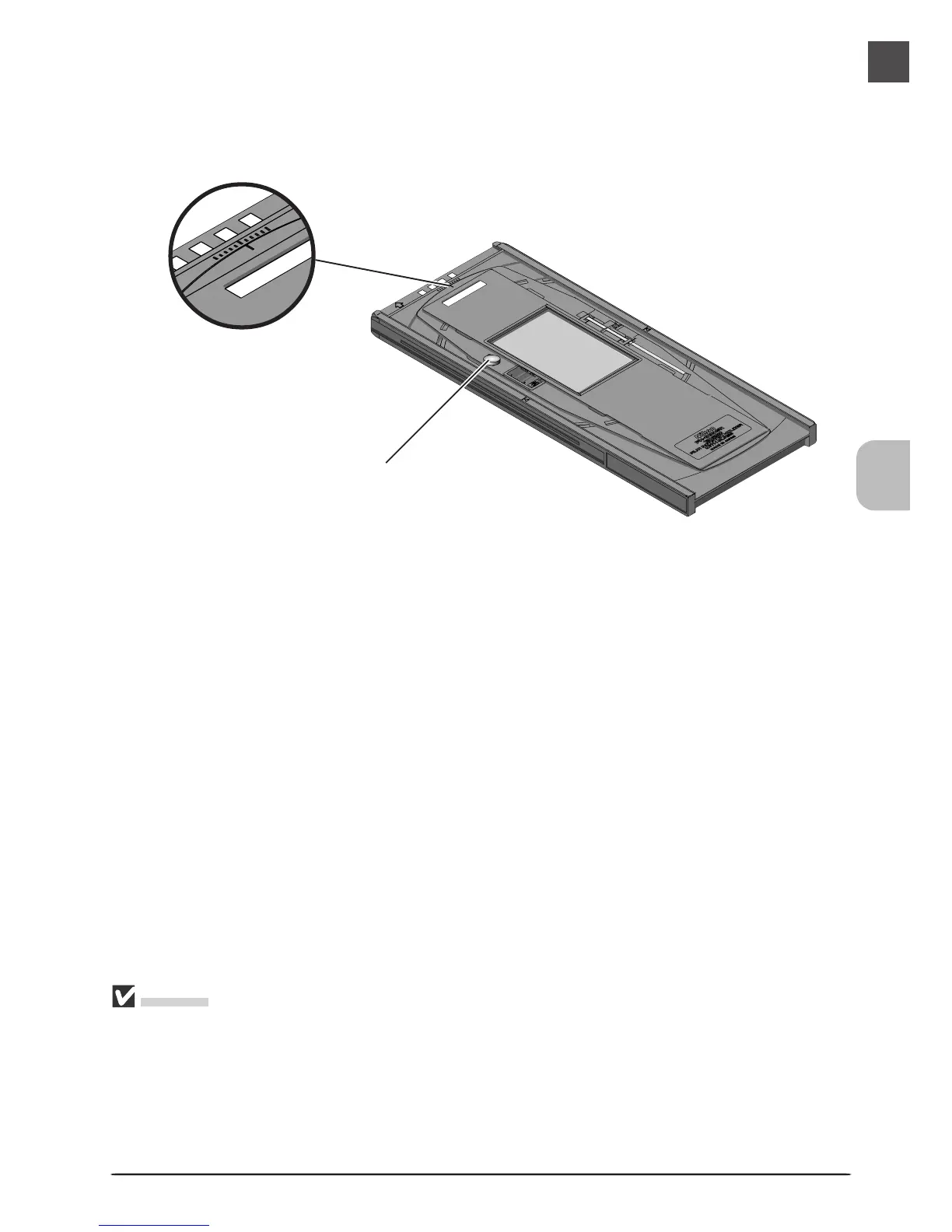
The film angle can be adjusted up to ±5°. Loosen the locking screw by rotating it counter-
clockwise and adjust the film angle, using the marks at the front of the holder as a guide (each
mark is equivalent to 1°). Once you have adjusted the film to your satisfaction, rotate the
locking screw clockwise to tighten it.
Angle indicator
Cautions
Use only one type of film at a time. Do not place negative and positive film in the holder at the
same time.
Use a mask that matches the film scanned. Failure to observe this precaution could interfere with
accurate color reproduction.
To avoid damaging the film, use a blower to remove dust and lint from the film and holder.
Leaving dust, lint, or other foreign objects on the film or holder during scanning could result in
reduced image quality or in damage to the film.
Locking screw












 To Next Page