6
Before connecting the power and interface cables, choose a flat, stable location for your scan-
ner close to the computer and to a suitable power outlet. Do not install your scanner where:
it would be exposed to direct or reflected sunlight
it would be subject to condensation or to drastic changes in temperature
it would be exposed to dust or smoke
it would be exposed to water vapor from a humidifier
it would be exposed to radio interference from other electronic devices
the temperature exceeds 35°C (95°F) or falls below 10°C (50°F)
other objects would block the scanner’s vents
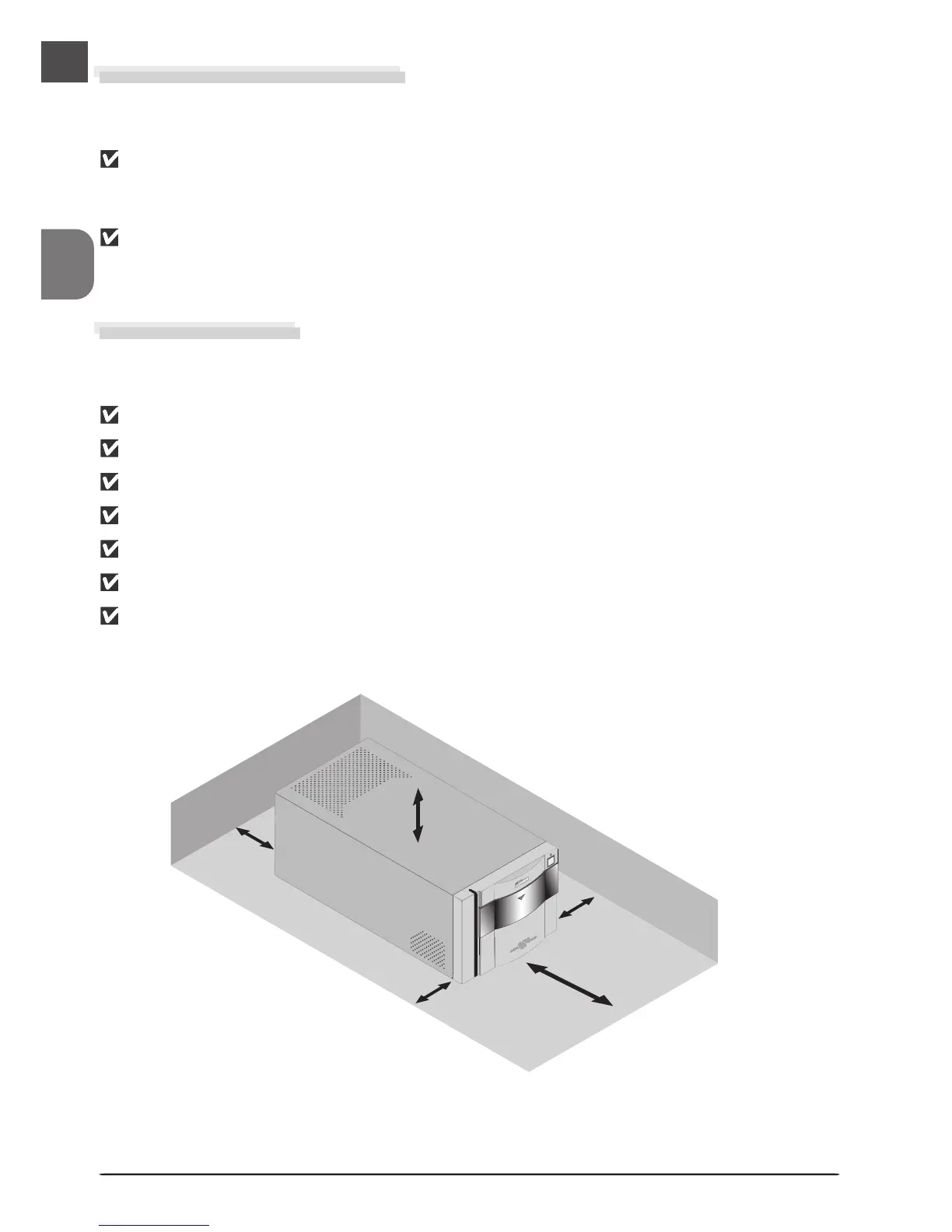
Leave enough space around the scanner to ensure ease of operation: at least 5 cm (2˝) above
and on either side of the scanner, 10 cm (4˝) behind, and 50 cm (20˝) in front.
Keep the Holder Slot Closed
In order to ensure that your scanner always produces the best possible results, remove any
holders and close the sliding cover when the scanner is not in use.
Never remove a holder from the scanner without first checking that the statusLED
on the front of the scanner is glowing steadily. Do not insert or remove holders or
turn the scanner off while the LED is blinking.
After using the scanner, eject the holder and turn the scanner off, then close the
sliding cover to prevent dirt and dust from accumulating in the scanner.
Choose a Location
5cm (2˝)
5cm (2˝)
50cm (20˝)
5cm (2˝)
10cm (4˝)












 To Next Page