34
Logging On
Log on as the Administrator when registering the scanner.
The Welcome Window
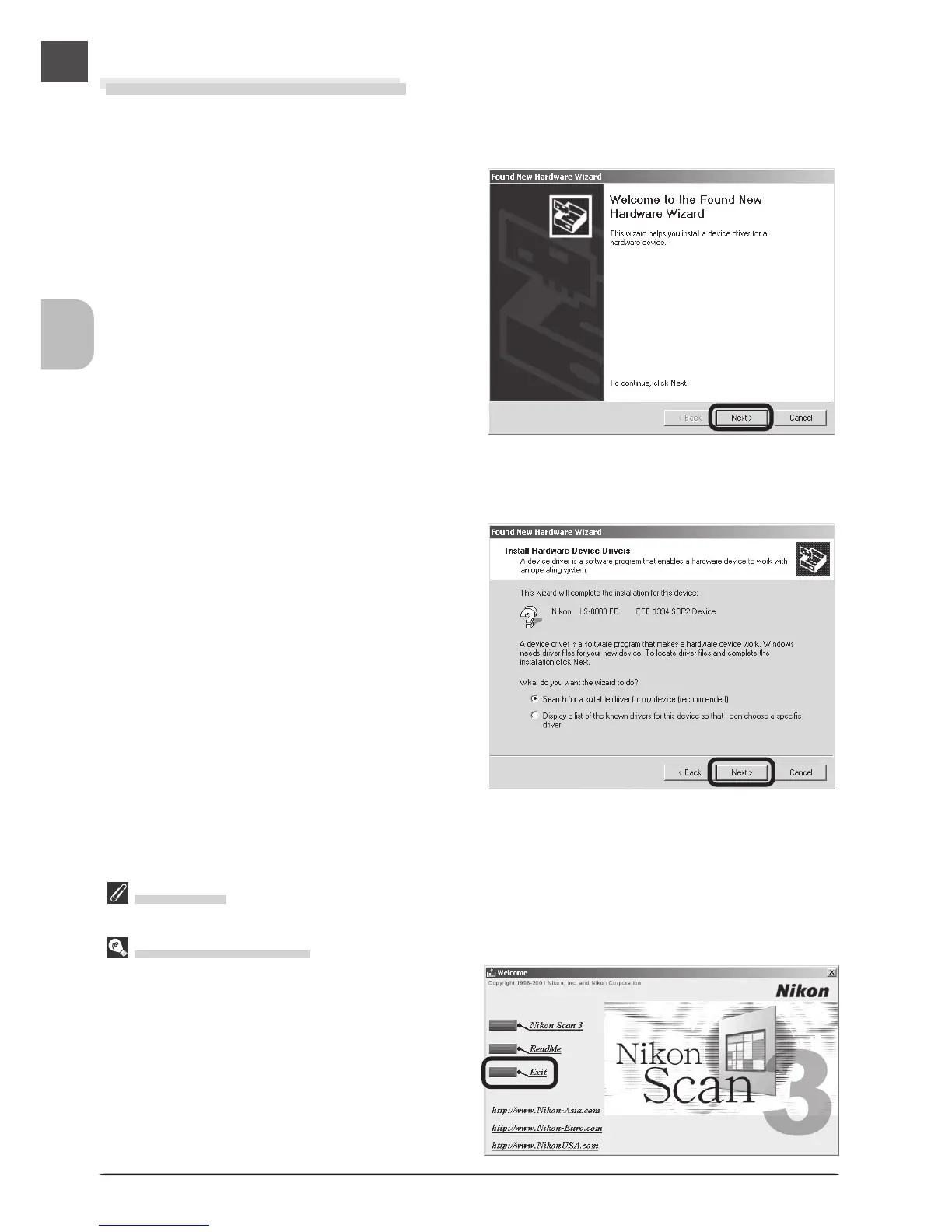
If the Welcome program starts automatically when
you insert the Nikon Scan CD, click Exit to close
the Welcome window.
Windows 2000 Professional
Registering the Scanner with Windows 2000 Professional
1
Turn the scanner on
The first time the computer detects the
scanner, Windows will display the dialog
shown at right. Click Next.
2
Insert the Nikon Scan 3 CD
Holding down the shift key to prevent the
Welcome program from starting auto-
matically, insert the Nikon Scan 3 CD into
the CD-ROM drive. Select the search
option and click Next.












 To Next Page