18
What to do when the CD-ROM does not start automatically.
If the Welcome dialog does not appear when the CD-ROM is inserted in the drive:
1. Double click the My Computer icon
2. In the My Computer window, click on the CD-ROM drive icon with the right mouse button
3. Select Autorun from the menu that appears
Important
Log into the Administrator account when installing Nikon Scan under Windows 2000.
Installation
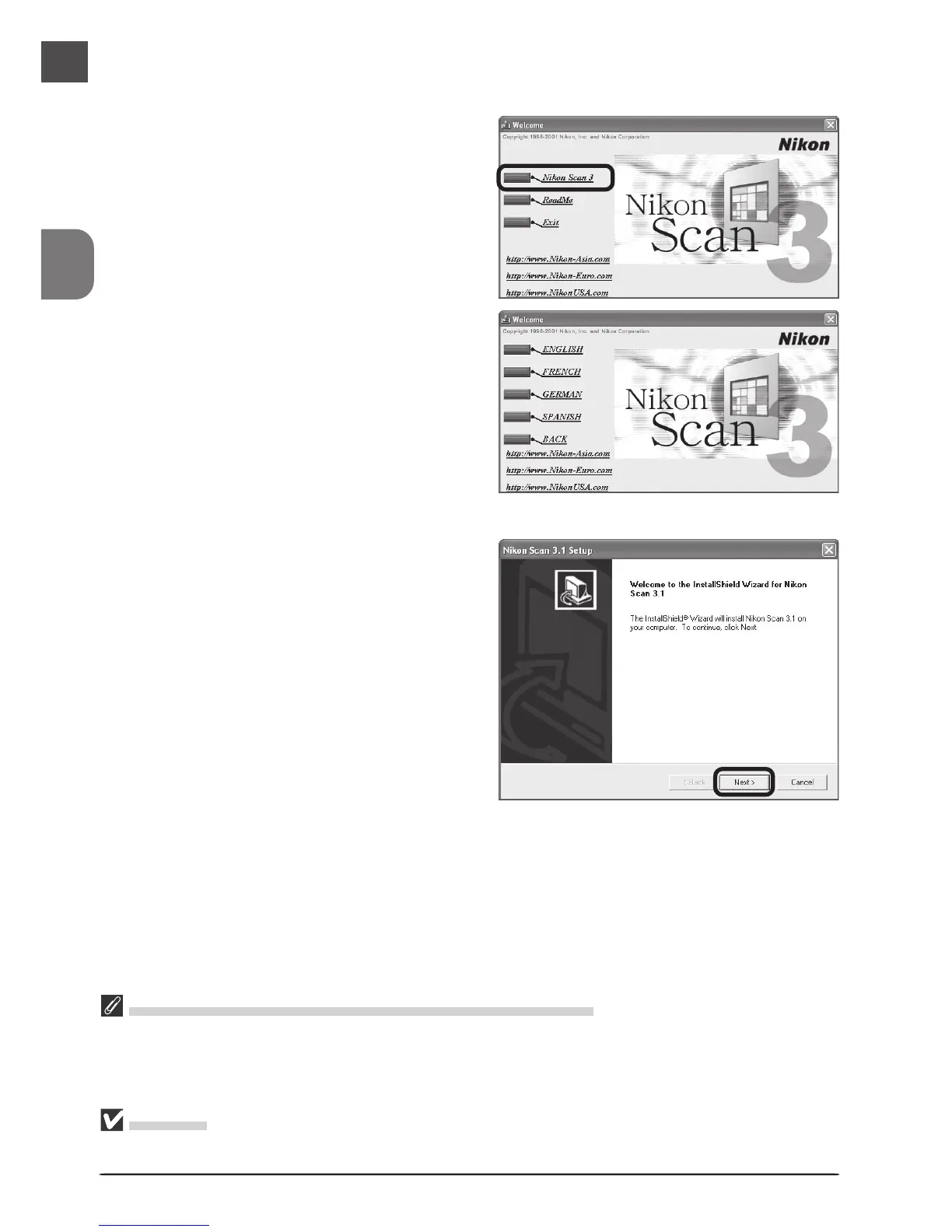
1
Insert the Nikon Scan 3 CD into the CD-
ROM drive. When the Welcome dia-
log is displayed, click Nikon Scan 3.
2
The InstallShield Wizard will start.
Click Next. The license agreement will
be displayed; click Yes to accept the
agreement and continue with instal-
lation.
Depending on where you purchased your
scanner, you may be prompted to select
the language in which Nikon Scan’s
menus and dialogs will be displayed.
Choose a language from the list provided.












 To Next Page