24
7
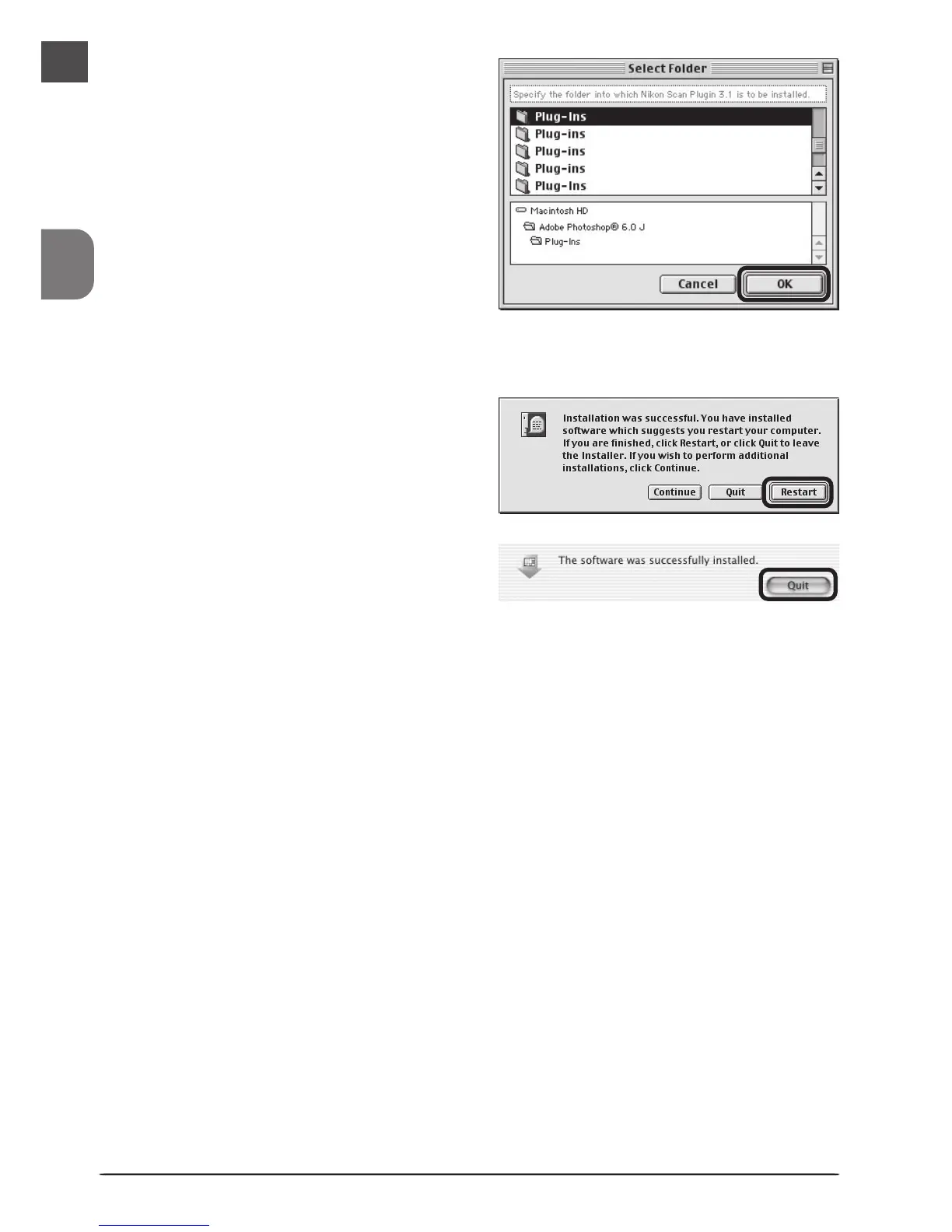
Nikon Scan 3 can be used to scan im-
ages directly into any application that
supports Adobe Photoshop 5.0 ac-
quire plug-ins. The installer will dis-
play a list of plug-in folders for the
applications currently installed on
your computer; choose the folders
containing Adobe Photoshop plug-ins
and click OK to copy the Nikon Scan
3.1 plug-in to the selected folders.
Click Cancel to complete installation
without creating a copy of the Nikon
Scan 3.1 plug-in.
8
A dialog will be displayed stating that
installation is complete. Click Restart
to restart your computer (Mac OS 9
or earlier) or Quit to exit the installer
(Mac OS X).
9
This completes installation of Nikon Scan 3.












 To Next Page