41
4
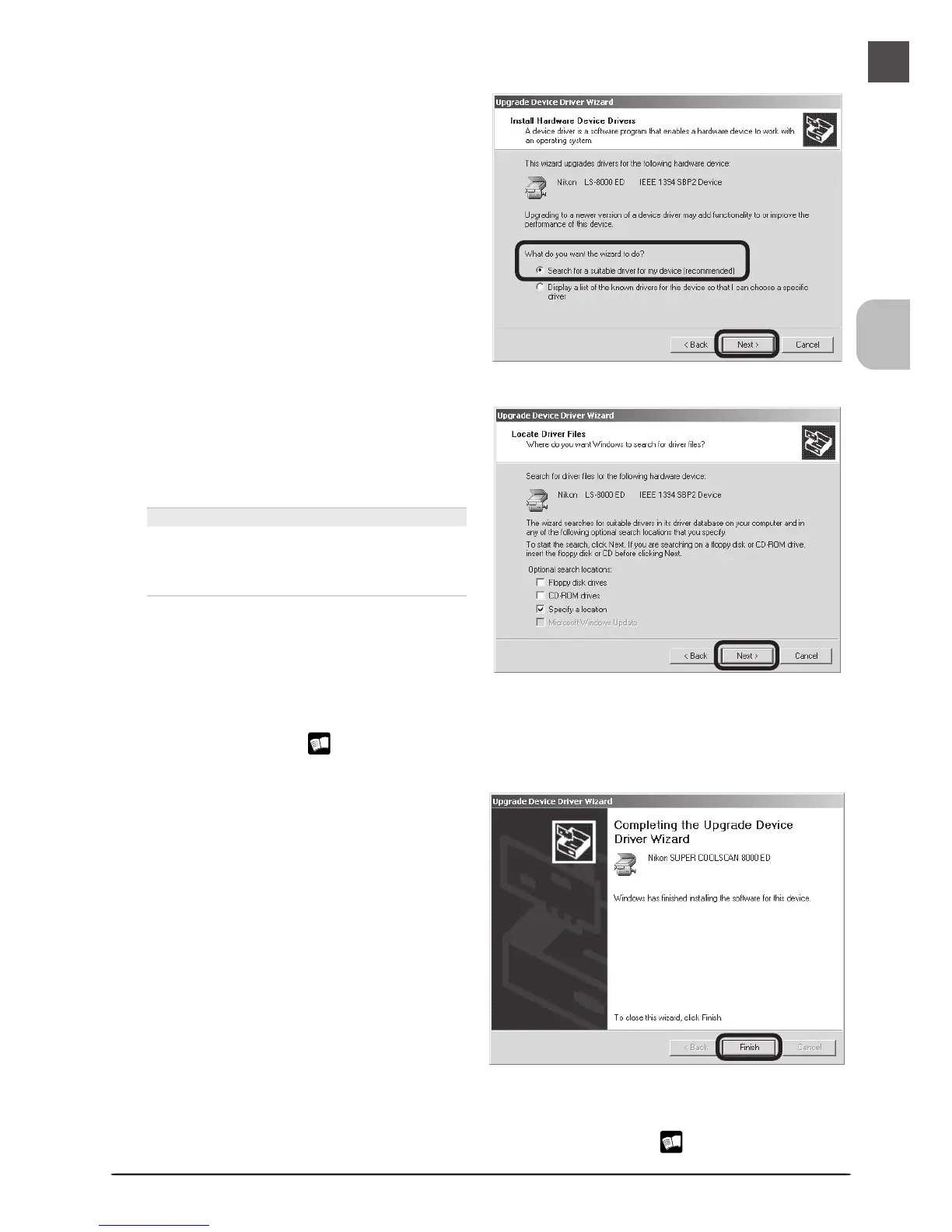
Select the search option
Select the search option and click Next.
5
Insert the Nikon Scan 3 CD
Holding down the shift key to prevent the
Welcome program from starting auto-
matically, insert the Nikon Scan 3 CD into
the CD-ROM drive.
The Welcome Window
If the Welcome program starts automati-
cally when you insert the Nikon Scan CD,
click Exit to close the Welcome window.
6
Reinstall the drivers
Reinstall the drivers as described in steps 3–8 of “Registering the Scanner with Windows
2000 Professional” ( 35–37).
7
Click Finish
When the Wizard displays a message stat-
ing that it has found the drivers for your
scanner, click Finish to complete installa-
tion. If prompted to restart the computer,
click Yes.
8
Confirm device registration
Confirm that the scanner has been correctly registered with the system as described in
“Confirming Device Registration (Windows 2000 Professional)” ( 38–39).












 To Next Page