49
The Welcome Window
If the Welcome program starts automatically when
you insert the Nikon Scan CD, click Exit to close
the Welcome window.
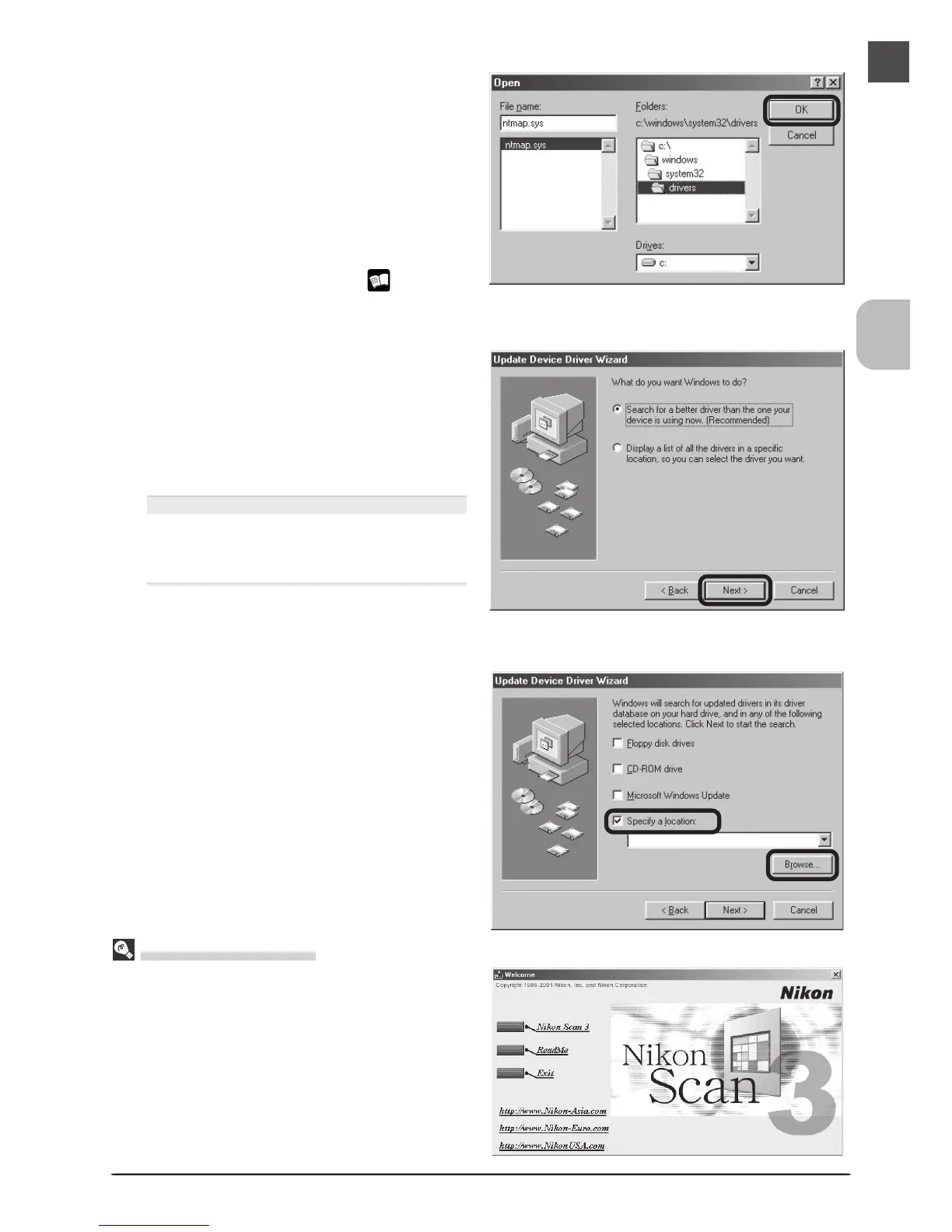
Navigate to “C:\windows\system32\ driv-
ers” by selecting “C:” from the list of
drives and double-clicking in turn on each
of the following folders: “windows”,
“system32”, and “drivers.” “ntmap.sys”
will be selected in the list of files. Click
OK and confirm that the scanner has
been correctly registered with the system
as described in “Confirming Device Reg-
istration (Windows 98 SE)” ( 51). This
completes device registration.
3
b
Insert the Nikon Scan 3 CD
The dialog shown at right will be dis-
played. Holding down the shift key to
prevent the Welcome program from start-
ing automatically, insert the Nikon Scan
3 CD into the CD-ROM drive, then select
the search option and click Next.
The Welcome Window
If the Welcome program starts automati-
cally when you insert the Nikon Scan CD,
click Exit to close the Welcome window.
4
Select Specify a location
Select Specify a location and click
Browse.












 To Next Page