59
Openings are provided in the upper cover to allow you to adjust the position of film before
latching the cover closed. Using these openings, insert a pointed object, such as a pen, in the
film perforations and adjust the position of the film so that the frames are aligned with the
apertures in the holder.
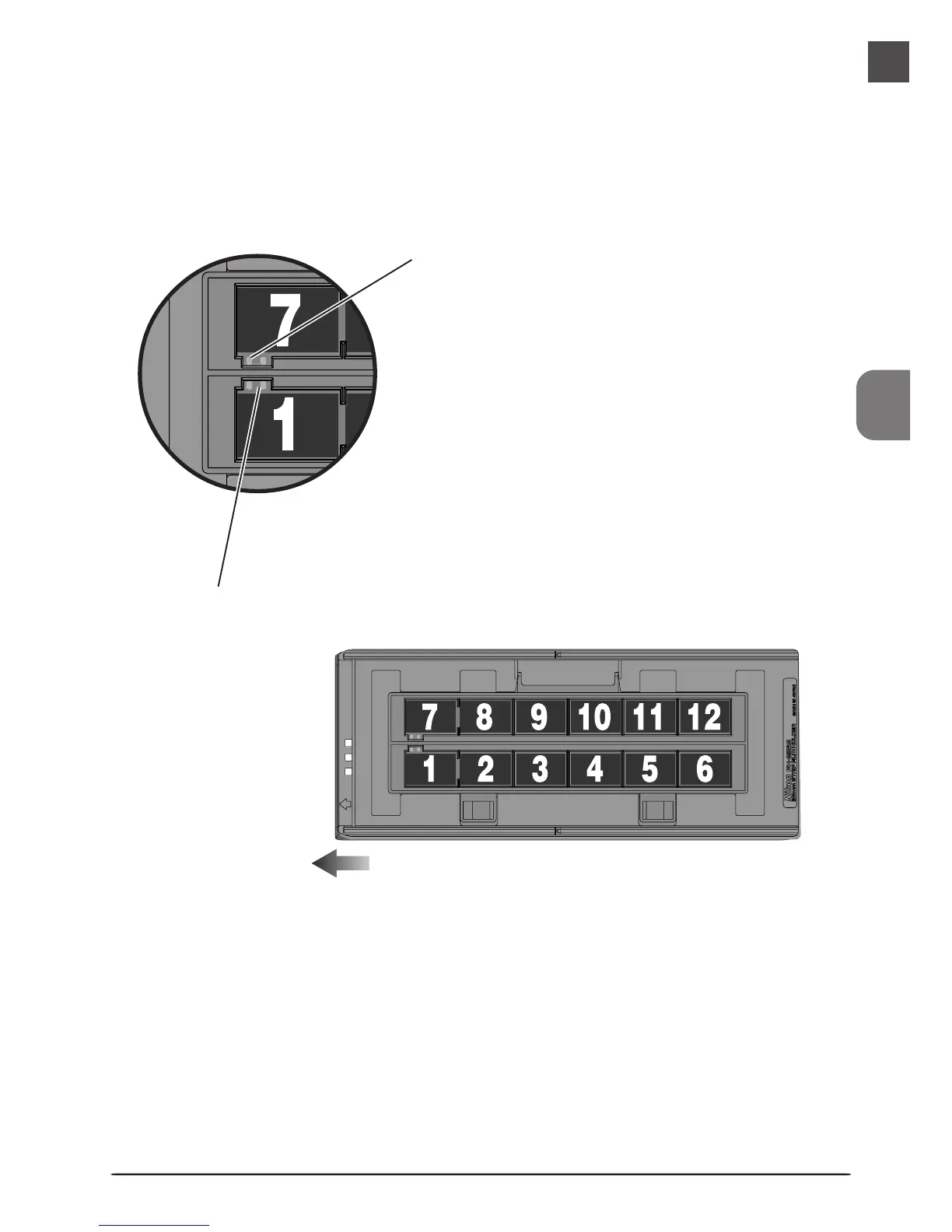
Close the upper cover so that the latches click into place. Nikon Scan will display thumbnails in
the order shown below.
Openings
Perforations
Direction of insertion












 To Next Page