67
Pg. For more information on:
40 The Tool Chest
5
Adjust scan settings
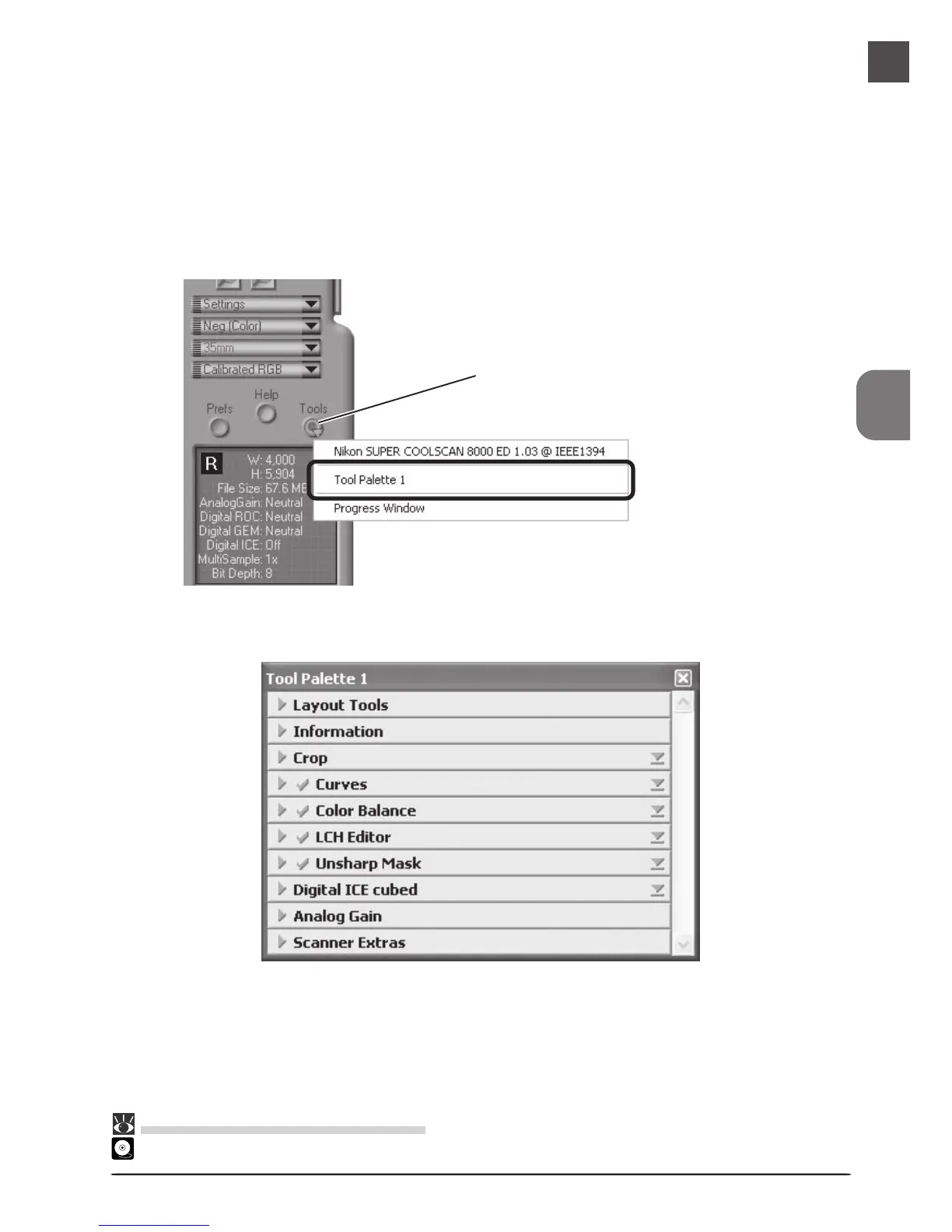
For steps 6 through 10, you will use the tools in the “Tool Chest.” The Tool Chest is a
window of tool palettes, each containing controls for a specific task, such as selecting the
area to be scanned, adjusting contrast, color, and sharpness, setting the scan size and
resolution, or compensating for defects in the original, such as grain or fading. If the Tool
Chest is not already open, you can display the Tool Chest by clicking the Tools button in
the scan window and selecting Tool Palette 1 from the menu that appears.
Tool Palette 1
Tools button
Menu












 To Next Page