[iJp
60
FlB
I.
2
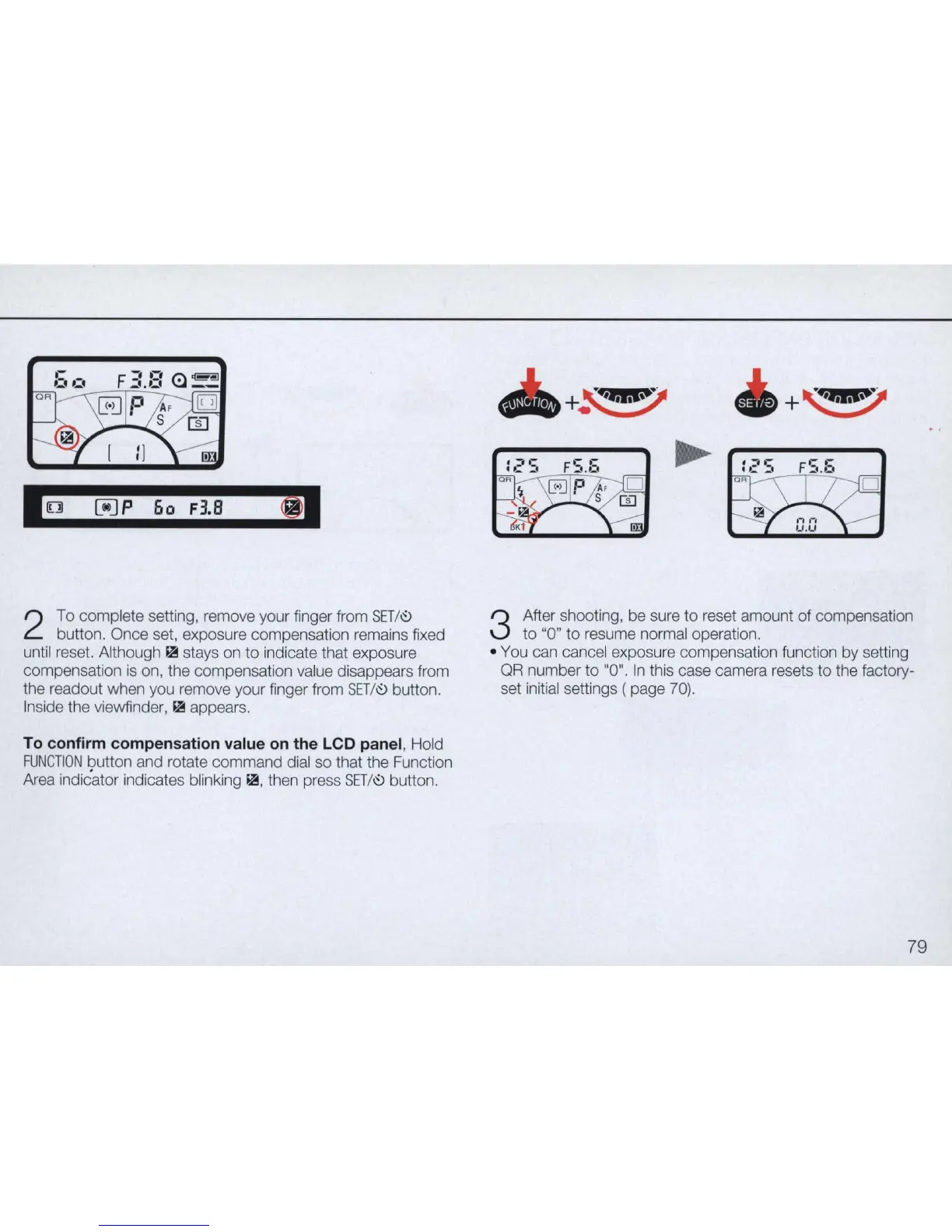
To complete setting, remove your finger from
SET/~
button. Once set, exposure compensation remains fixed
until reset. Although
~
stays on to indicate that exposure
compensation
is
on, the compensation value disappears from
the readout when you remove your finger from
SET/~
button.
Inside the viewfinder,
~
appears.
To confirm compensation value on the LCD panel, Hold
FUNCTION
button and rotate command dial so that the Function
Area indicator indicates blinking
~
,
then press
SET/~
button.
+
~
+
~
3
After shooting, be sure to reset amount of compensation
to "0" to resume normal operation.
• You can cancel exposure compensation function by setting
QR
number to "0".
In
this case camera resets to the factory-
set initial settings ( page
70).
79


 To Next Page
 Loading...










