EasyManua.ls Logo

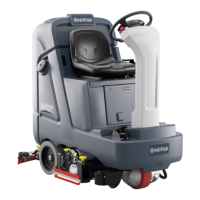
Nilfisk-Advance SC4000 - User Manual

Nilfisk-Advance SC4000
146 pages
Print Icon
To Next Page IconTo Next Page
Loading...
Model No:
56120070 (28C), 56120071 (28D), 56120072 (28 REV), 56120073 (32C), 56120074 (34D),
56120405 (28C HP), 56120406 (28D HP), 56120407 (28 REV HP),
56120408 (32C HP), 56120409 (34D HP)
SC4000
Instructions for Use
Original Instructions
Instrucciones de uso
Mode d’ emploi
9/2022 revised 1/2023 REV B
Form no. 56091272
A-English
B-Español
C-Français

Table of Contents

Questions and Answers

  • J
    jessicalongAug 20, 2025
    How to resolve magnetic SmartKey errors on Nilfisk-Advance SC4000?
    • R
      rogersmelanieAug 20, 2025
      To resolve Magnetic SmartKey errors on your Nilfisk-Advance Scrubber, if the No Key Indicator is displayed, place an appropriate SmartKey onto the SmartKey Reader. For Key Read Errors, clean both the SmartKey and the SmartKey Reader using a clean cloth, and depress the SmartKey between your thumb and forefinger to ensure free movement of the magnet. If the Restricted User Key Indicator appears, place a SmartKey that has been programmed to be used with this machine onto the SmartKey Reader.
  • J
    Jonathan ShawAug 22, 2025
    What does it mean when my Nilfisk-Advance SC4000 displays a Magnetic SmartKey error?
    • A
      amanda64Aug 22, 2025
      If you're encountering Magnetic SmartKey errors with your Nilfisk-Advance Scrubber, here's what to check: * **No Key Indicator:** If the display shows 'No Key Indicator', ensure a Magnetic SmartKey is present on the SmartKey Reader. * **Key Read Error:** If you see a 'Key Read Error Indicator', clean both the SmartKey and the SmartKey Reader using a clean cloth. Depress the SmartKey between your thumb and forefinger to ensure free movement of the magnet. * **Restricted User Key:** If the display shows 'Restricted User Key Indicator', place a SmartKey that has been programmed to be used with this specific machine onto the SmartKey Reader.
  • T
    Tina GoodwinAug 26, 2025
    What to do if my Nilfisk-Advance SC4000 has inadequate solution flow?
    • A
      Abigail NewmanAug 26, 2025
      If your Nilfisk-Advance Scrubber has inadequate or no solution flow, start by checking if the solution tank is empty and fill it if necessary. The solution lines, valves, filter, or trough might be clogged, so flush the lines, trough, and clean the solution filter. Ensure that the solution flow is activated via the control panel switch. Also, rotate the Solution Shutoff Valve to the ON position.
  • N
    Nicholas PorterAug 27, 2025
    How to improve poor scrubbing performance of my Nilfisk-Advance SC4000 Scrubber?
    • C
      cjimenezAug 28, 2025
      To address poor scrubbing performance with your Nilfisk-Advance Scrubber, consider these points. The brush or pad might be worn, so rotate or replace the brushes. You might be moving the machine too fast, so slow down. Also, you might not be using enough solution, so increase the flow via the control panel solution button.
  • J
    Jamie HerreraAug 29, 2025
    What should I do if my Nilfisk-Advance SC4000 does not power on?
    • E
      Evan OconnorAug 29, 2025
      If your Nilfisk-Advance Scrubber does not power on, first check if the Machine Battery Connector is disconnected and reconnect it if necessary. Also, check for a tripped 5 Amp circuit breaker and reset it after checking for a short circuit. Finally, inspect the Main Fuse 150 Amp and replace it if it's blown.
  • P
    Patricia ClarkAug 31, 2025
    Why is there no FWD/REV wheel drive on my Nilfisk-Advance Scrubber?
    • M
      Michael SmithAug 31, 2025
      If there is no FWD/REV wheel drive on your Nilfisk-Advance Scrubber, it might be due to the seat switch being open; sit on the seat to close it. Ensure that the Emergency Stop Switch is not activated; reset it if it is. The display will show an Emergency Stop Activated Indicator if this is the case.
  • M
    melissa57Sep 2, 2025
    How to improve sweeping performance on my Nilfisk-Advance Scrubber cylindrical system?
    • J
      James AustinSep 2, 2025
      To enhance the sweeping performance of your Nilfisk-Advance Scrubber cylindrical system, start by emptying and cleaning the hopper if it's full. If the brushes are worn, replace them. If the bristles have taken a set, rotate the brushes.
  • V
    Victoria KnightSep 4, 2025
    What to do if there is no detergent flow with EcoFlex on Nilfisk-Advance Scrubber?
    • T
      tammy70Sep 4, 2025
      If there is no detergent flow with EcoFlex on your Nilfisk-Advance Scrubber, check if the detergent cartridge is empty and fill it if necessary. If the detergent flow line is plugged or kinked, purge the system and straighten the lines to remove any kinks. Ensure the dry seal cap on the detergent cartridge is sealed and reseat it if necessary. Check the detergent pump, wiring and lines.
  • C
    Corey PruittSep 8, 2025
    How to improve the scrubbing performance of my Nilfisk-Advance Scrubber?
    • J
      Jason HawkinsSep 8, 2025
      If your Nilfisk-Advance Scrubber isn't scrubbing effectively, consider these potential causes: * **Brush or Pad Condition:** Worn brushes or pads can significantly reduce performance. Rotate or replace them to ensure optimal contact with the floor. * **Machine Speed:** Moving the machine too quickly can prevent effective scrubbing. Slow down to allow the brushes or pads to properly clean the surface. * **Solution Usage:** Insufficient solution can also hinder scrubbing. Increase the flow using the control panel solution button to provide adequate lubrication and cleaning power.
  • T
    Tina ChenSep 10, 2025
    What to do if my Nilfisk-Advance SC4000 Scrubber won't turn on?
    • N
      Nicholas Chase DVMSep 10, 2025
      If your Nilfisk-Advance Scrubber isn't powering on, try these troubleshooting steps: * **Battery Connection:** Ensure the Machine Battery Connector is securely connected. * **Circuit Breaker:** Check the 5 Amp circuit breaker and reset it if it has tripped. Look for any electrical short circuits that may have caused the breaker to trip. * **Main Fuse:** Inspect the Main Fuse (150 Amp) and replace it if it's blown.

Summary

Cautions and Warnings

Know Your Machine

Prepare the Machine for Use

Lead-Acid Batteries

Information on preparing the machine for use with lead-acid batteries.

Lead-Acid Battery Installation

Instructions for installing lead-acid batteries into the machine.

Operating the Machine

Starting the Machine

Steps to safely start the machine and prepare for operation.

Stopping the Machine

Procedure for stopping the machine, including emergency stop.

Maintenance

Cleaning Recovery Tank

Instructions for cleaning the machine's recovery tank and removing debris.

Charging Batteries

Instructions for charging wet and Gel/AGM (VRLA) batteries.

Troubleshooting

General Machine Troubleshooting

Common problems, their possible causes, and remedies.

Fault Code Handling

Understanding fault codes and their history.

Specifications

Accessories; Options

List of available accessories and options for the machine.

Solution Flow Rates

Table detailing standard and override flow rates.

Technical Specifications

Nilfisk-Advance SC4000 Specifications

General IconGeneral
BrandNilfisk-Advance
ModelSC4000
CategoryScrubber
LanguageEnglish

Related product manuals