27
PARAMETER ADJUSTMENT
Use the control panel to access the pa-
rameter list of the drying cabinet. The
parameter list appears one line at a time
on the control panel display.
Procedure:
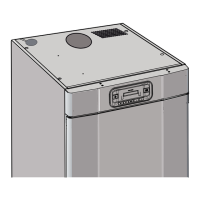
1 Make sure that the main ON/OFF
switch of the drying cabinet is o and
that the indicator ( item 2) is also o.
2 Hold down the minus “-” and plus
“+” buttonsand set the main ON/
OFF switch to “ O N ”. This is indicated
by a green light . The display lights up
and shows “P1” (parameter 1) and
the factory setting for P1.
3 Press the “MAN” button several
times to step to the required pa-
rameter. If you overshoot, continue
pressing until the display shows the
correct parameter.
4
When the display shows the correct
parameter (P8, for example), use the
plus and minus buttons to increase or
reduce the setting.
5 To save the settings and return to
operating mode, press the START/
STOP button. The display now
shows the last programme used.
NOTE: How to restore the parameters
to the factory settings:
1 Go to parameter display mode as
explained at steps 1 and 2 above.
2 Hold down the “40°” button and
press the START/STOP button. The
parameter list re-appears and the
display shows Parameter 1 and the
factory setting for P1.
3 To save the factory settings and
return to operating mode, press the
START/STOP button. The display
now shows the last programme
PARAMETER ADJUSTMENT ETS 1700E / 1900E


 To Next Page