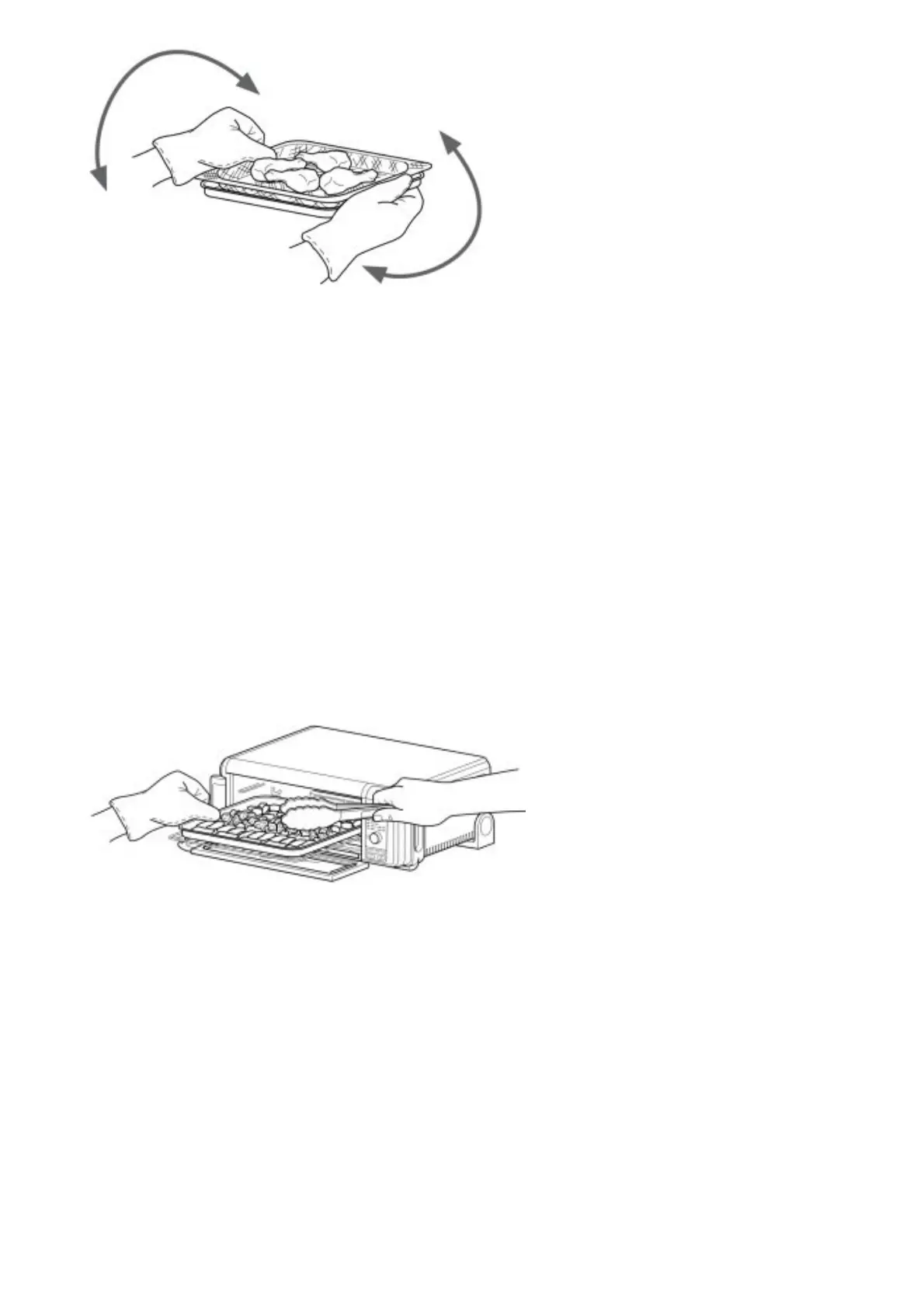
Turn basket and sheet pan 180°.
8. When cook time is complete, the unit will beep.
Air Roast
1. To select the function, turn the dial until AIR ROAST illuminates. The default time and temperature settings will
display.
2. Press the TIME/SLICE button and use the dial to select your time up to 2 hours. To set the time, press
TIME/SLICE button again.
NOTE: If cooking for 1 hour or less, the clock will count down by minutes and seconds. If cooking for more than
1 hour, the clock will count down by hours and minutes.
3. Press the TEMP/DARKNESS button and use the dial to select a temperature between 250°F–450°F. To set the
temperature, press the TEMP/DARKNESS button again.
4. Press START/PAUSE to begin preheating.
NOTE: Food cooks faster when using the Air Roast function than when using the Bake function, so for
traditional oven recipes, lower the cook time 30% and lower the temperature 25°F.
5. Place broiler rack in the sheet pan and ingredients on the broiler rack. When the unit beeps to signify it has
preheated, immediately place the sheet pan with broiler rack on the wire rack. Close oven door.
NOTE: the unit will beep. The timer will start counting down as soon as the unit has preheated. If ingredients
are not ready to go into the oven, simply turn the dial to add more time.
6. During cooking, you can open the oven door to check on or flip ingredients.
7. When cook time is complete, the unit will beep.
Air Broil
1. To select the function, turn the dial until AIR BROIL illuminates. The default time and temperature settings will
display.
2. Press the TIME/SLICE button and use the dial to select your time up to 30 minutes. To set the time, press the
TIME/SLICE button again.
3. Press the TEMP/DARKNESS button and use the dial to select either HI or LO. To set the temperature, press
the TEMP/DARKNESS button again.
4. Place broiler rack in the sheet pan and ingredients on the broiler rack. Place the sheet pan with broiler rack on
the wire rack and close the oven door, press START/PAUSE to start cooking.



 To Next Page