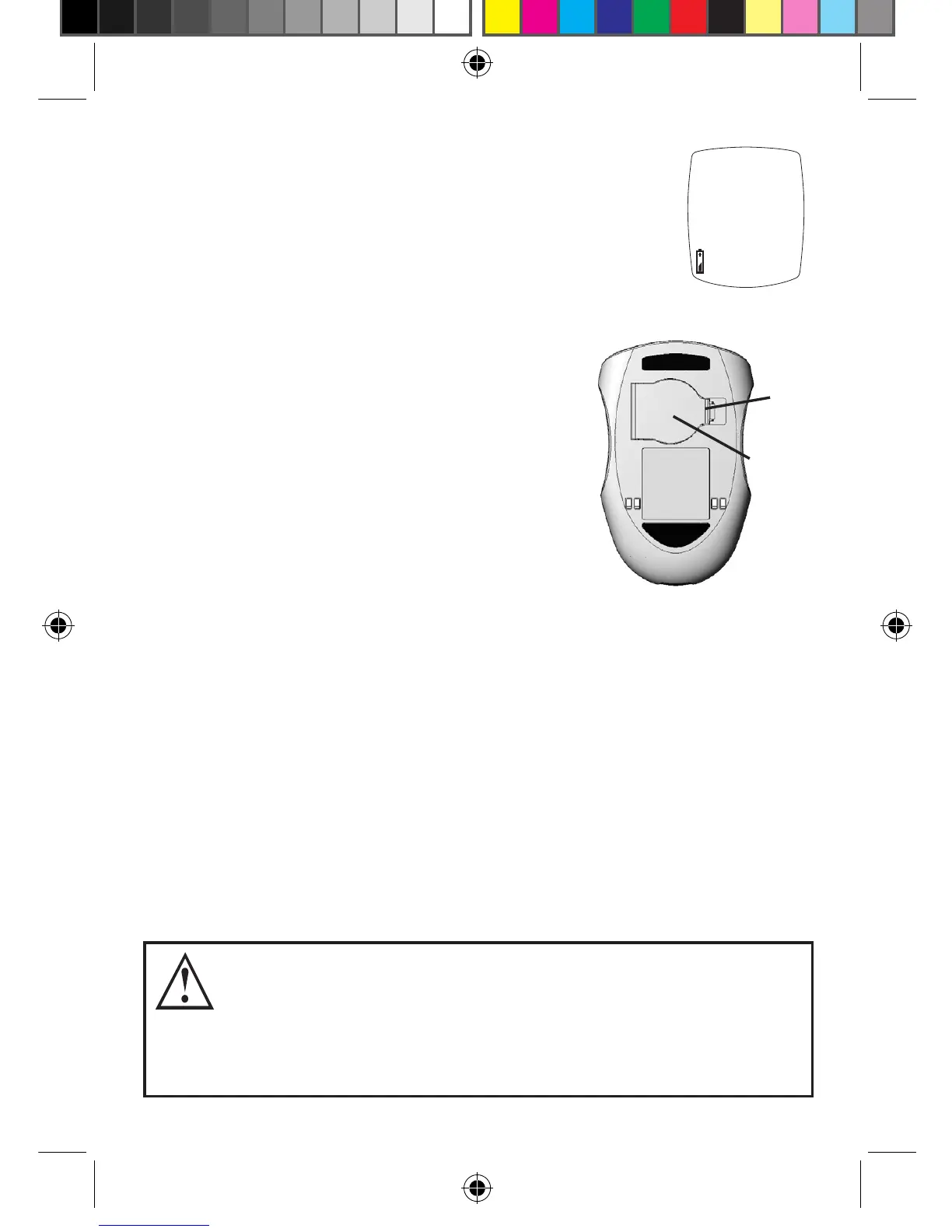
Battery
Door
Tab
36
Changing Battery
A low battery displays Battery Symbol
while continuing to function.
A dead battery displays Battery Symbol,
beeps, and then turns o.
To replace battery:
1. Li tab on Battery Door.
2. Turn Meter over, tap gently on
the palm of your other hand
to loosen and remove battery.
3. Discard old battery into
appropriate container.
4. Insert new battery, positive (“+”)
facing up. Close Battery Door.
Note: Use non-rechargeable 3V lithium battery
(#CR2032).
5.
Press “ S ” Button to turn Meter on and check
time, date, and Testing Alerts and Reminders (see
Meter Set Up). If Meter does not turn on, check
that battery was installed properly. If not, remove
and reinsert battery and turn Meter on by pressing
“ S ” Button. Call for assistance if problem persists.
Low
Batteries might explode if mishandled or incorrectly
replaced. Do not dispose of battery in fire. Do not
take apart or attempt to recharge battery. Dispose
according to local/country specific regulations.
Tyou_OB_Guts_E4GBY03FDr20.indd 36 11/8/13 1:43 PM



 To Next Page