- 16 -
1.5 How to input fingerprint
When you enroll and authenticate user fingerprint, do the
followings to avoid authentication error:
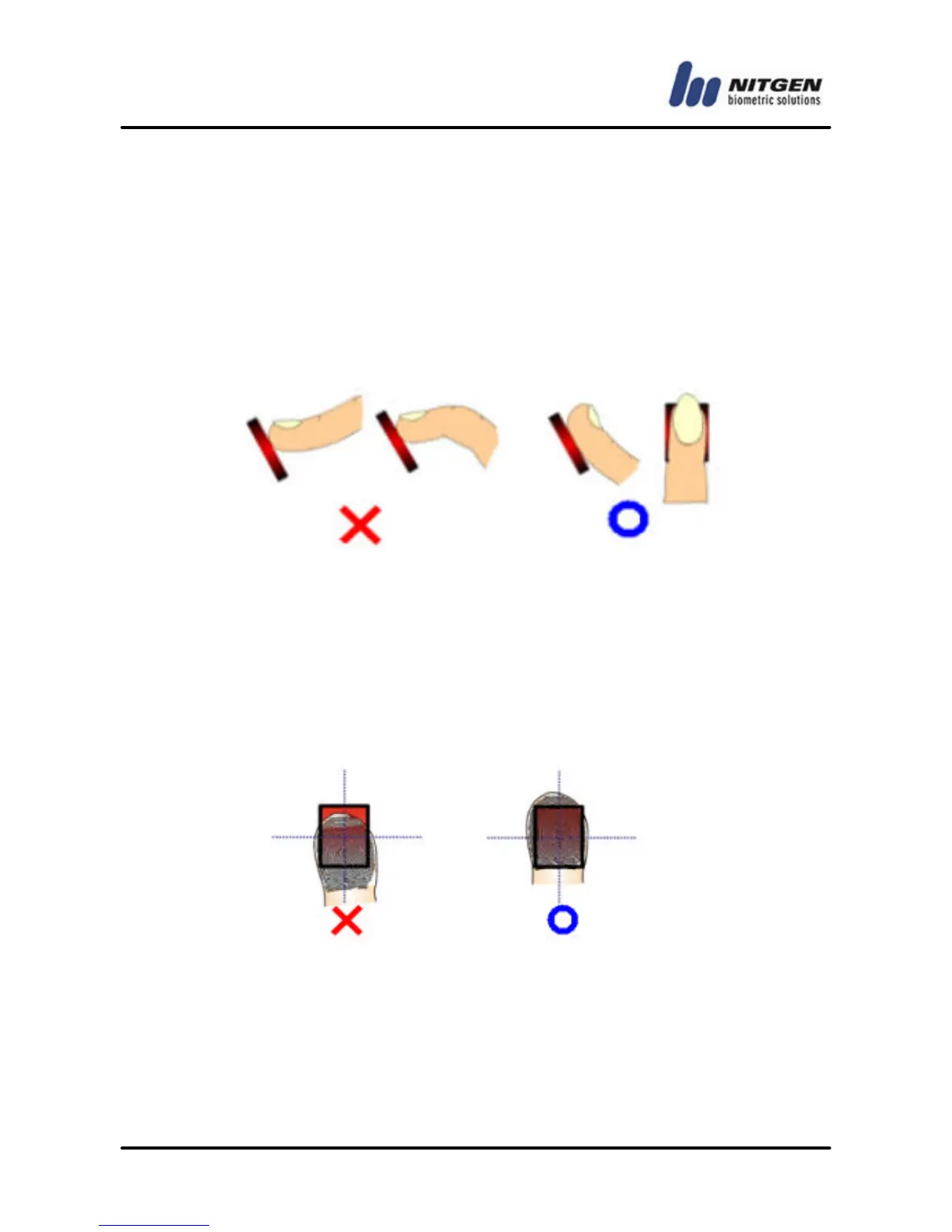
5. Press your finger evenly to maximize the input area. If
we say the weakest push as 0%, and the strongest
push as 100%, apply 50~70% of force.
② Make sure that the core of the fingerprint is at the center of the
fingerprint input window. In general, the core of the fingerprint is
on the same line as the lunula of the fingernail. So locate the
lunula of the fingernail at the center of the fingerprint input
window.



 To Next Page