44 47_processor_Regatta_um_UK_40
10.1.3 Configuring the network connection with Windows 10™
Here, the computer and the HR Processor are networked by an RJ-45 cable.
They each have an IP address that allows them to communicate with each other. The local
network IP address can be fixed or dynamic. Since neither your computer nor the
processor has a DHCP server allowing dynamic addresses to be delivered, your
connection will be in fixed IP.
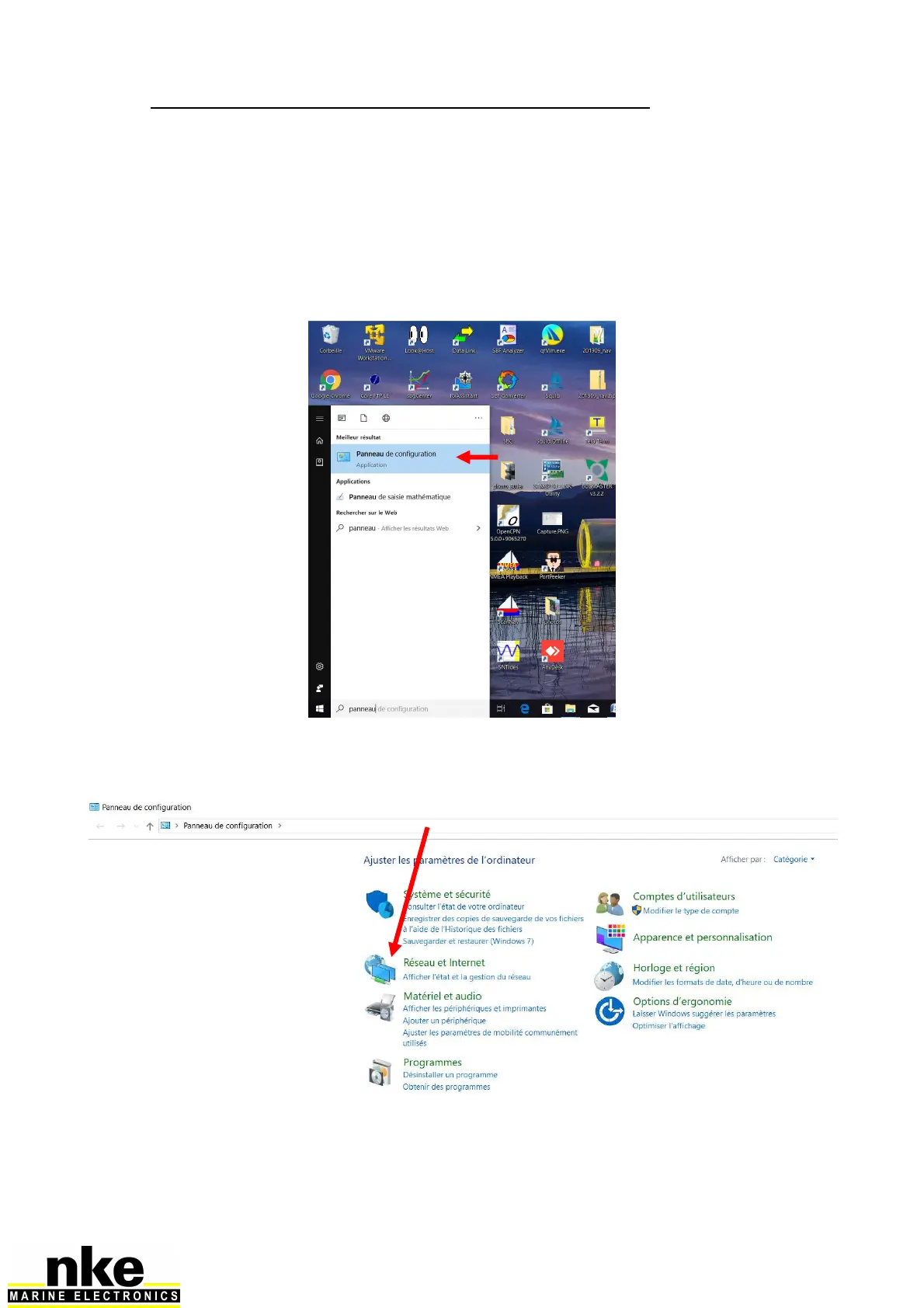
The first task is to define a fixed local IP address on the PC concerned. To get started,
type control panel, then ENTER.
Click on the link "network and Internet"


 To Next Page